
 I've written a module, Image Overlay, to allow users to "draw" shapes on images with JQuery UI & canvas, and save the result as an image node. (Try it out.) Shapes are draggable and resizable. I've kind of stalled at this point, and could use some help, so I think I'll be applying as a student. I think this module could provide very useful tool to many drupal sites, including social sites (photos), techinical sites (notes & schematics), educational sites (maps, historical battleplans), and many others I haven't yet thought of.
My proposal is to expand and update Image Overlay:
EDITED to update timeline, show tables and added image of control and links to screenshots. EDITED on March 29th 1:15pm EDT, to add mockups.
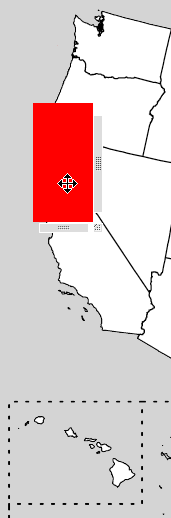
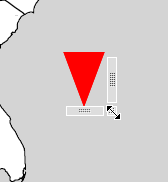
Controls currently look like:
Controls will look (something like) this, for an image named "WF":
The above would be the first tab. All tabs would be preloaded via JQuery, so there would be no AJAX involved - this part is all client side. If the user selects "Hand Drawn" a brush dialog will come up, a list of predefined images set bby the site's administer will be shown if "predefined" is picked, and a textbox will be shown if test is picked.
Light up will make the shape flash few a few seconds,to help the user identify different shapes. "Move Up" and "Move Down" will move the shape along the z-axis. After a shape is selected, options will come up, depending on the shape - changing the stroke width of a brush, the text of a, erm, text, and so on.
Fairly self-explanatory. The regular node image edit form, condensed somewhat to fit in the mock-up image.
TIMELINE:
April/May
- Familiarize myself with the changes made in Drupal 6
- Discuss my javascript approach and maybe change it
- Write up Schema for the implementation of the overlay aspect
- Begin updating the current module to 6.x
(almost done)
- Integrate with current JQuery UI Implementation for 6.x
June:
- Discuss UI improvements with mentor.
- Change javascript code
- Improve in-code documentation
- Begin thinking about an optimal way of positioning text on the image
- Discuss security concerns about using JSON -> PHP and how to check
- Write code to save the "overlay"
- Implement viewing of all images based on
- The current Overlay
- The Original Image
- Decide on an alternate to absolute positioning directly in the form. Possibilities include:
- Pop-up windows
- Modal window
- Would it be possible to use 2 modals and switch focus?
- Code positioning improvements
July:
- Improve handling of image formats
- Right now, the format is the same as the original image
- Put in Admin area
- Implement other shapes:
- Lines
- Curves
- TEXT
- Customaizable images (and write admin code)
- Perhaps find workaround for ellipses
- Implement other tasks:
- Change shape colors
- Impose a "layer" like hierarchy and a means to change it
- Opacity controls
- "Locking" for each shape, so it is not moved by accident while editing oher shapes
- Implement actual "drawing" on the image (by mouse position tracking)
- Move Documentation from javascript code to JSAPI.txt and PHPAPI.txt
- Encourage other developers to submit shapes they have made
- Iron out wrinkles
August:
- If possible:
- Make it possible to rotate shapes
- Improve passing of JSON to server, perhaps integrate
- Remove dependence on Image Gallery
- Let users can create their own closed-polygons by clicking to create lines
- An export feature to export the overlay as an SVG file (using Drawing API?)
- Create a way for the administer of a site to choose which colors to offer, or, alternatively, to use the color picker included in Drupal core
- Use the sortables included in core to change layers (like the way blocks are done)
- Show different overlays on one image at the same time (or slide-show like)
- Finish ironing out wrinkles and documenting
Just to clarify, I think my timeline is more stretched out than it actually will be, and I hope to complete several of the items I put in August, but I am erring on the side of caution here.
My VERY tentative tables:
Table to keep track of all rendered images:
nid - coorosponds to the nid of the newly created image
original_nid - coorsponds to the nid of the "base" image
overlay_id - a unique identifier to be referenced elsewhere
Table to keep track of all the overlays:
shape_id - this will co-rospond to the div#
shape_type = the type of shape, coorosponds to the enumerated types within the javascript ShapeTypes file
overlay_id - the id of the overlay it is part of
data - the data associated with the shape. Colors, text, etc, z-axis, etc
points - the (x,y) co-ordinates of the shape. This will vary depending on the shape_type
Table to define shapes:
shape_type - see above
name - the name of the shape
Please leave comments, and questions.
Comments
Cross-posted to the Image group
Seems like this would be cool functionality, but I'm not sure how it might overlap existing efforts.
Could you point me towards
Could you point me towards existing efforts? I spent a few months looking for them in a vain attempt to avoid writing my own module from scratch. I had a hard time even finding something to do what I wanted, much less within the Drupal framework.
Textimage and Signwriter seem to offer the text functionality, but signwriter, at least, has a 'complex' admin UI.
There was one from a previous SoC, but it a) was never finished, and b) seemed to be for the backend users, again.
drawing api?
drawing api? http://drupal.org/project/drawing
I'd like to know exactly how this differs from drawing api, whether you'd be able to build on top of it, why you'd specifically want to avoid building on top of it etc.
about drawing
Drawing focuses more on dynamical image rendering than user-based. User's can't create images with Drawing, they have to be generated from PHP, a bit like forms are rendered. As far I understood from the description this module allows users to create the images, then save them, so its a completely opposite direction. As a sidenote, since SVG was not mentioned in the application: I assume this could be done using SVG too, in which case the toolkit functions from drawing could be used.
I would disagree a bit with that it was never finished, the API part that is necessary for other modules to build on is finished, I used it in all my demos for example. The graphing module in the package is unfinished, but I don't consider it to be officially part of the module, its just there because I haven't decided what I want with it (especially since there are other chart APIs in Drupal now).
Yes, that's a good summary.
Yes, that's a good summary. Thanks. :) As to why this was done with Canvas, at the time I began working on Image_Overlay, Canvas seemed to be easier to integrate with JQuery and supported more easily in more browsers. Canvas also easily supports rotatation, which I was hoping to integrate. Perhaps I should re-evaluate my choice. Right now, every "shape" is a <canvas> tag wrapped in a <div> positioned absolutely on top of the background image.
Yes, this module allows users to put multiple "shapes" (text, images are on the to-do list) on top of an image and save this to a native image format using GD, as well as (to-do) being able to go back and move the "shapes" around and re-save.
There are only *dev versions of Drawing API on drupal.org, so my assumption was that it was not finished. I apoligize for not looking at it more closely before posting that statement, though.
getting back the shapes?
I don't know Canvas very well, so I can't tell which one is better, I chose SVG because of being a standard. I can imagine browser support is a big pain anyway, so as long as you have researched the alternatives your choice should be fine.
Something caught my attention: how did you imagine to get the shapes back from a rendered image? is that at all possible?
I won't be getting the
I won't be getting the shapes back from the rendered image, I'll be storing each shape into a table when the overlay is saved. Then when it is being edited, I'll pull out the original background image and re-lay out all the shapes on top of it.
Draft of timeline
Removed, because I put it all in the orginal post and this is taking up space.
It seems to me that the
It seems to me that the clear value that this provides over image editing in a more sophisticated standalone application is that multiple people can easily collaborate on a single image without having to email a jpeg around. Once the node is saved, are the overlays and background image saved as a single image, or can the post actually be edited and changed by other users?
Also, could the available overlay graphics be "pluggable" so that users or developers could make other types of images available?
If so, this could be hep provide a very interesting type of wiki. I'm not aware of other visual wiki's or online collaborative image editing systems.
(+1)
Yay, a reply!!! And now,
Yay, a reply!!!
And now, back to acting my age[ish].
The current implementation saves it all as a single image. I have a half-written up schema for actually saving each shape anyone overlays into the database, so that it could be viewed as an image, AND an option to reload the editing screen, with all the shapes properly laid out in the right positions. (Am I making any sense? In short, it's not in the code yet, but I have a way to implement it, and it will *definitely* be implemented if this propsal is accepted.)
Regarding other collaborative image editing systems, I couldn't find any either, so I was forced to write my own. :)
That sound great. How
That sound great. How about
"Also, could the available overlay graphics be "pluggable" so that users or developers could make other types of images available?"
Opps, thought I'd answered
Opps, thought I'd answered that.
In javascript: right now, all my shape classes have to implement a set of pre-defined functions, and be registered with the JS class "ShapeType", which I could easily move into a seperate file and write out which functions are needed. Automating adding a "shape" (could be anything) should be fairly simple. On the PHP side, it may be a little more complex, but it should certainly be doable to integrate that functionality for develpers. I don't know about users adding "shapes", although I have a few ideas.
The simplest would be to create a "shape" that is dependent on an image, passing in the image specs when the shape is initialized. Then it could be as simple as the user clicking on an image to use...My mind's flying, now. So many ideas!
Do you mind if I quote your earlier post in my official proposal?
Which part would you quote?
Which part would you quote? That's fine with me, though if you're going to use a chunk of my language I'd appreciate if you noted that I said it.
Pieces of these two
Pieces of these two sentences:
It seems to me that the clear value that this provides over image editing in a more sophisticated standalone application is that multiple people can easily collaborate on a single image without having to email a jpeg around. If so, this could be hep provide a very interesting type of wiki. I'm not aware of other visual wiki's or online collaborative image editing systems.
And yes, of course I'll note it's a quote from you.
Updated...
I have updated the mockups to include more/better information, and have added some features to the "to do if possible" list.
I would REALLY appreciate any and all feedback on this idea.
Personally I dont think this
Personally I dont think this is the right technology to do the job... this should ideally be a Flex application, which could certainly be tied into Drupal as well.
vision media
350designs
Print Huge Edmonton Printing Services
Design Inspiration Gallery
Tj Holowaychuk
Vision Media - Victoria BC Web Design
Victoria British Columbia Web Design School