1 Overview
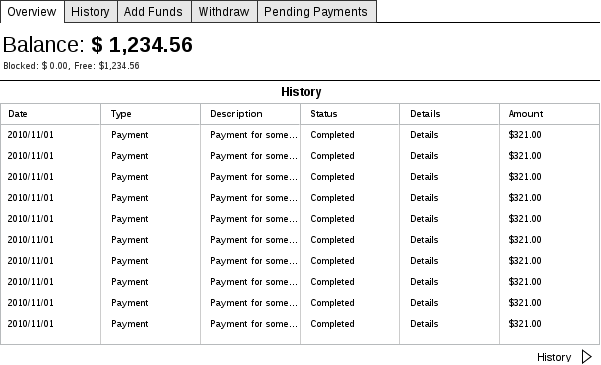
1.1 Balance
1.2 Recent Activity
1.2.1 Date
1.2.2 Type
1.2.3 Description
1.2.4 Details
-
Go to Details Page
1.2.5 Status
1.2.6 Amount
2 History
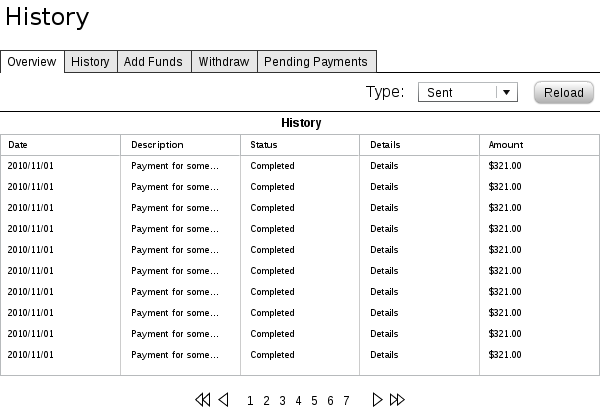
2.1 Variants
2.1.1 Uploads
2.1.2 Withdraw
2.1.3 Payments Received
2.1.4 Payments Sent
2.2 Filters
2.2.1 From Date
2.2.2 To Date
2.2.3 Status
2.3 Table
2.3.1 Date
2.3.2 Description
2.3.3 Details
-
Go to Details Page
2.3.4 Status
2.3.5 Amount
2.4 Pager
3 Add Funds
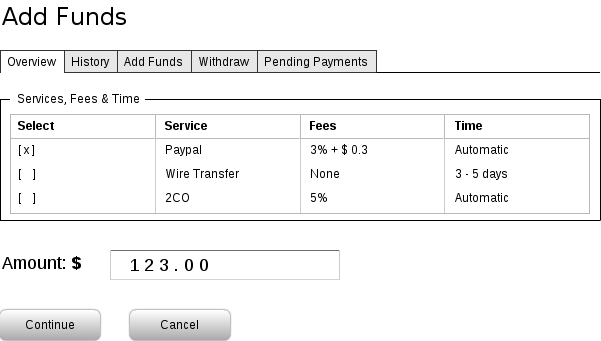
3.1 Services, Fees & Time
3.2 Amount
3.3 Submit
3.3.1 Load Selected "Upload Service" Page
-
Amount
3.4 Cancel
3.4.1 Return to Overview
4 Withdraw
4.1 Services, Fees & Time
4.2 Amount
4.3 Submit
4.3.1 Create a Withdraw Request
-
Amount
-
Selected Withdraw Service
4.3.2 Load Selected Withdraw Service Page
-
Withdraw Request ID
-
Complete Withdraw Request
-
Block Funds Until Withdraw was completed or rejected
-
Block Funds Until Withdraw was completed or rejected
-
Cancel Withdraw Request
4.4 Cancel
4.4.1 Return to Overview
5 Send Money
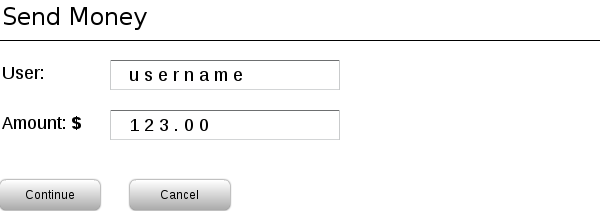
5.1 Username
5.2 Amount
5.3 Description
5.4 Submit
5.5 Cancel
6 Pending Payment Requests
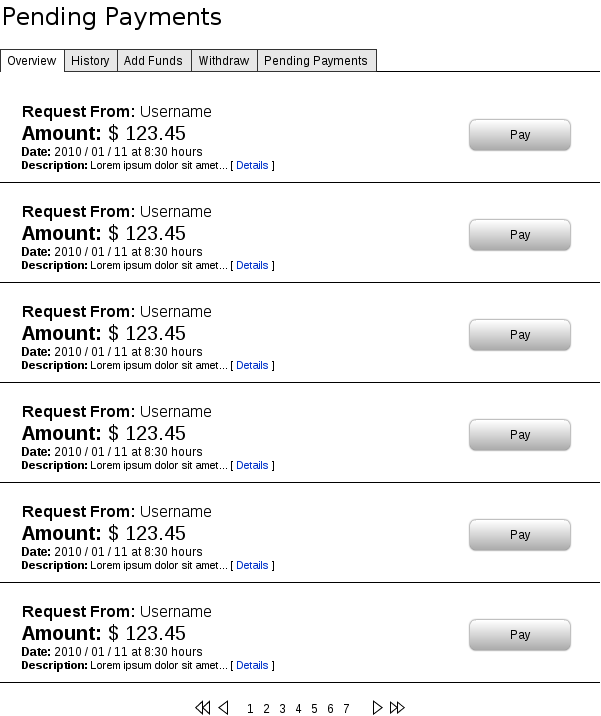
6.1 List
6.1.1 Request From
6.1.2 Amount
6.1.3 Date
6.1.4 Description
6.1.5 Pay Button
6.1.6 Details Link
7 Details
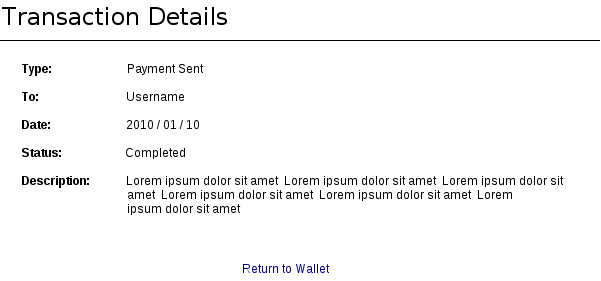
This page show the details of any transaction, completed or not. Here the user can see all the information about the selected transaction.
7.1 Transaction ID
7.2 From/To Details
If the transaction was a Payment to the user, then here will show the information of the user who sent the payment, if is a Payment to oter user, then the information are about the destination user.
7.3 Long Description
A long text description about the transaction, that's the description what the creator of the transaction has write.
7.4 Date
The date of the las update of the transaction.
7.5 Status
This little widget show the status of the selected transaction, that can be pending, cancelled or completed.
7.6 Back
A Button