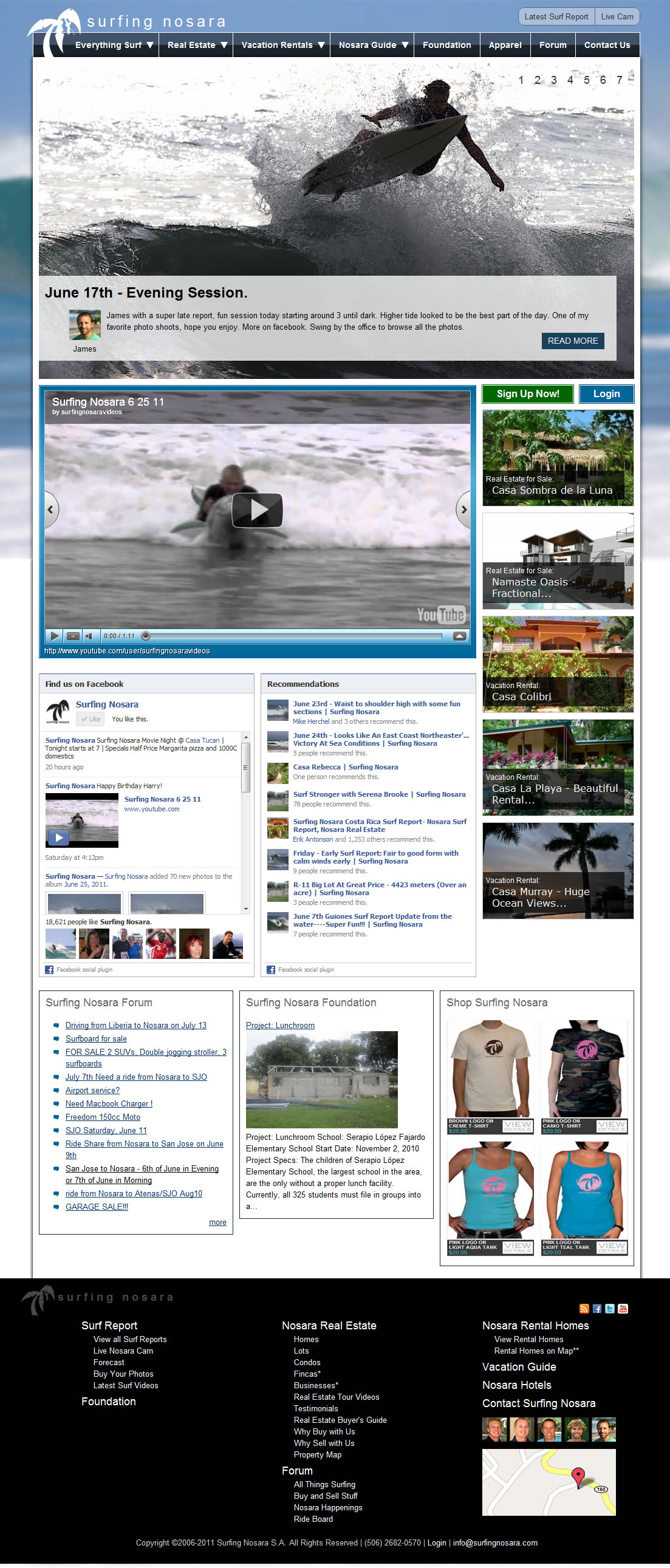
Surfing Nosara is the most popular surf report in Costa Rica. It's updated multiple times per day with new surf reports and photos. The site also advertises real estate, vacation rentals, hotels and restaurants. The site is based out of the small town of Nosara, Costa Rica, which is located on the Pacific side of the country.
The site started in 2005 as a Joomla site, and was migrated to Drupal in early 2009. During the intial Drupal migration some bad architectual decisions were made including having a separate CCK field per content type for the same data. For example, there are separate CCK description fields for hotels and restaurants.
The Goal
The goal of the refactor is 1) to update the "look and feel" of the website, and 2) Usability improvements on the Real Estate and Vacation Rental landing pages - the money-makers.
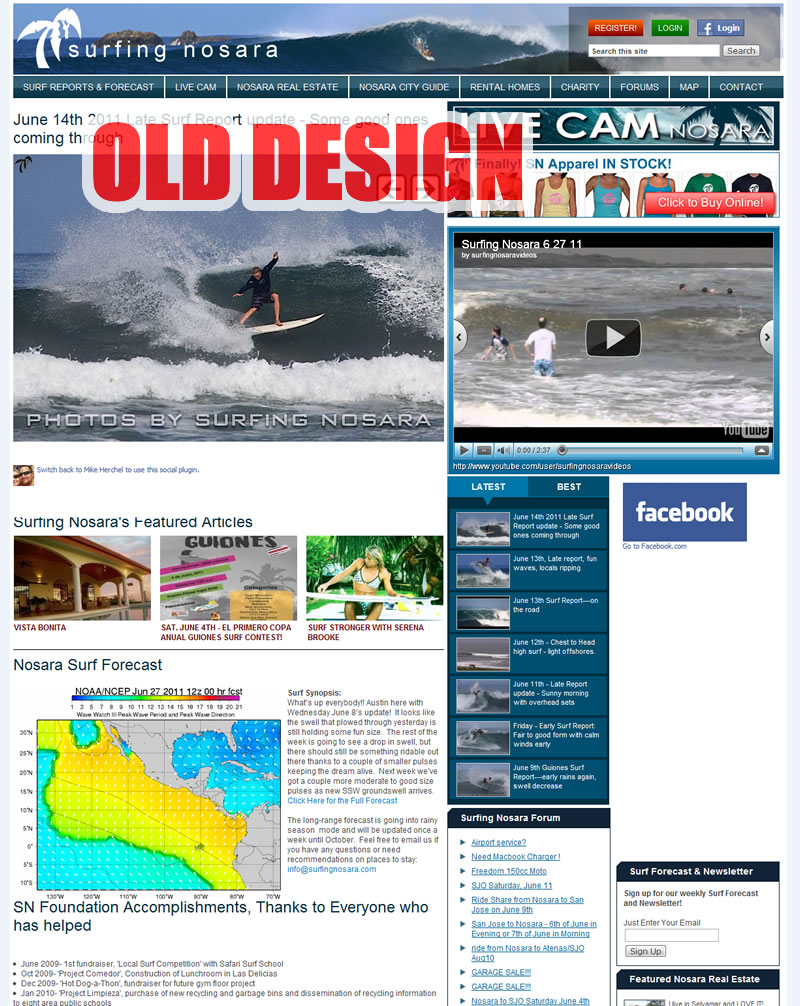
The old design is a table-based hodgepodge of data. One of the strengths of Surfing Nosara is the great original content on the site- this is why the site remained popular.
The new design integrates a great looking slideshow (using Views Slideshow) with a mix of Surf Reports and Real Estate which is controlled via the NodeQueue module. The sidebar also has a mix of vacation rentals and real estate for sale.
Facebook Integration
The site also extensively integrates with Facebook through the FBConnect module, and also various FB plugins, such as 'recommendations' and 'the like box'. This is very important for Surfing Nosara as it does a lot of marketing through facebook (and has over 18,000 fans).
The site also makes use of the og:image meta tag that is part of Facebook's Open Graph Protocol. This is the value that tells facebook which image to use as a thumbnail when users "like" the page. This was originally attempted using a patched version of the nodewords module, but using this, the og:image tag was site-wide. Using the Open Graph Meta Module was slightly better, but the workflow was such that the content creator has to save the node first, and then go back and edit it to specify the thumbnail.
I ended up adding some custom PHP to the head tag in the theme's page.tpl.php. Hopefully this will help someone out in the future! The field chosen below is "field_surf_feature_photo". Please note that you can add as many og:image tags as you like.
<?php if (isset($node->field_surf_feature_photo[0])): ?>
<meta property="og:image" content="http://www.surfingnosara.com/<?php print $node->field_surf_feature_photo[0]['filepath'] ?>" />
<?php endif; ?>
Usability Makeovers
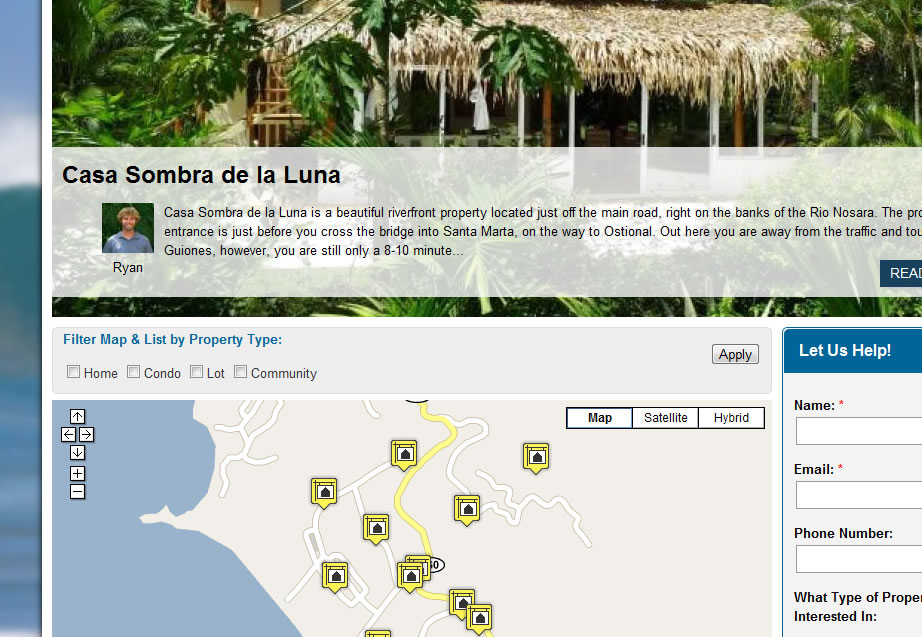
The real estate and vacation rental landing pages received a heavy usability makeover. The pages lead in with a views slideshow, and have a Gmap based view (with exposed filters) below. Using the attachment display feature of Views, we attached a table based view to the gmap view. This display also gets modified when the user filters using the exposed filters.
As I mentioned earlier, there were several unforunate architectual decisions made by the original developer when the site was originally migrated. For example, there are separate CCK description fields for hotels and restaurants. This makes it difficult to 1) Combine content types within the same view, and 2) theme via CSS.
The views issue was taken care of by adding all the relevant fields for the content types, and then selecting the option to "Hide if Empty"- which does exactly as it says. this made for some fairly interesting views, and this sometimes has unintended side effects (such as when being used with Views Slideshow). The CSS theming issue was fixed just by writing the additional lines of code when necessary.
Display Suite
Surfing Nosara makes heavy use of the Display Suite module, along with Node Displays and Node Display Contributions. This suite of modules enable the admin user to drag and drop fields into different sections of the template. This makes it easy for the non-technical admin user to re-arrange fields without having to touch *.tpl.php files.
Usability Improvements for Admin Users
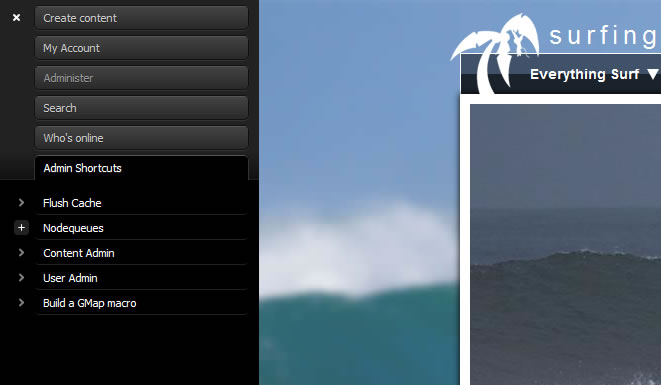
The site also moved away from the Admin Menu module in favor of the Admin Module (2.x). The admin module is easier to customize for the end users. I ended up creating a special menu tree with frequently used admin pages (such as nodequeues) that saves a lot of time.
Block Theme
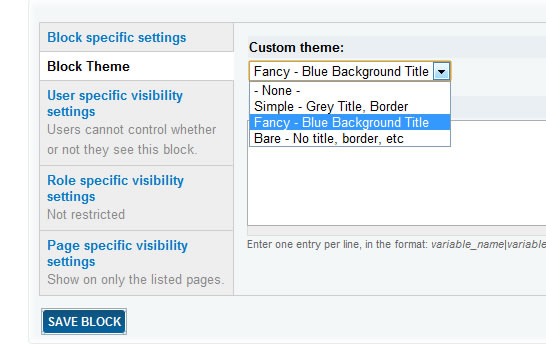
We also made use of the Block Theme module, which enables the themer to define custom 'styles' which the content editor can select from a select list in the block editor.
To Do
There's always more to do including user profiles (will be handled with display suite) and possible integration with mega drop down menus.
Screenshot