
Hi Guys,
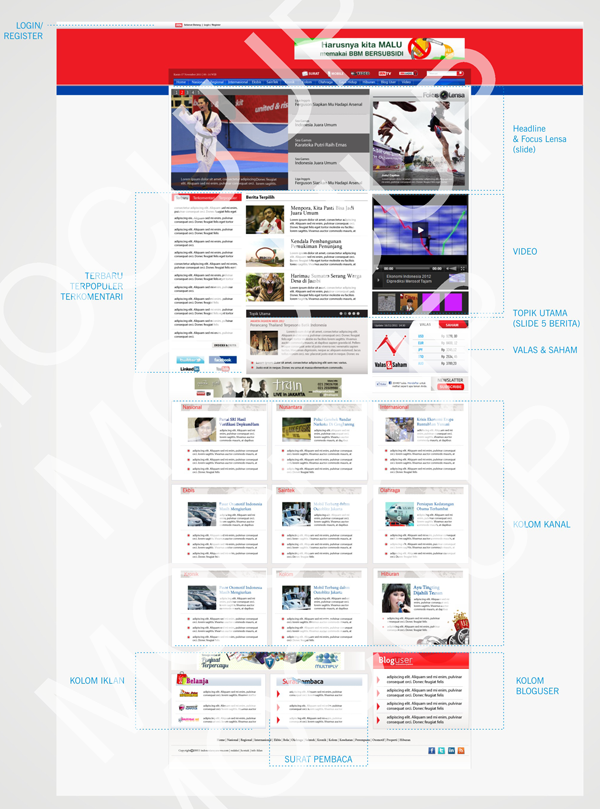
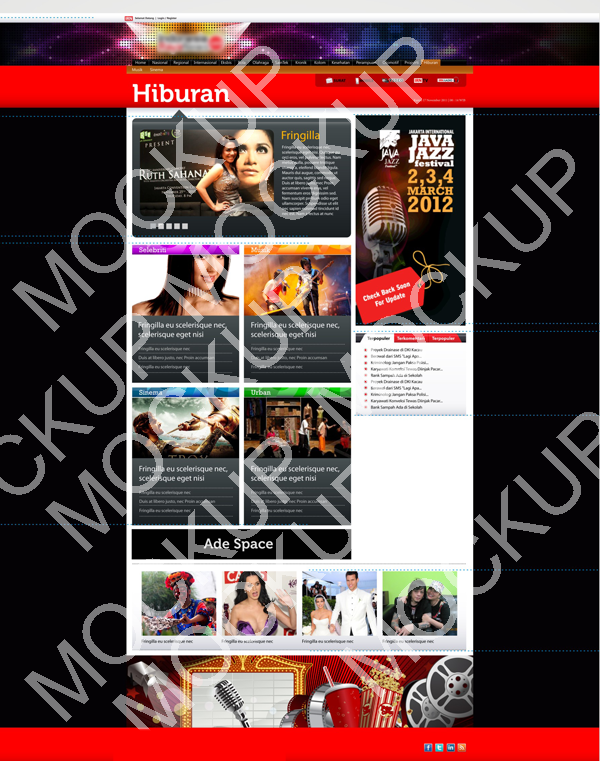
I have recently working for some news portal website in Indonesia, that work with Omega Framework, actually I quite new in this theming framework, the client want a website that can be suite in every media like tablet and mobile phone, that's why i choose to build the theme based on Omega, but this time i have facing a quite problem issue, that if user clicking the menu and then choosing one category for example : entertainment, then when user access it the layout from home and entertainment are switch, i mean, then color and the CSS.
I have asking about this and there is one solution that they have giving to me, using the context module. Is there any tutorial how to using context module and related to the Omega framework ? or there is another solution for this kind of "challenge" ? if there, then can you give me a hint for that ?
Thank you very much, this omega framework are fun-tastic, actually i used to be building the theme from scratch but this framework help me a lot.
- NB : I have attach the layout and also the mockup for the home and entertainment page.
| Attachment | Size |
|---|---|
| home.png | 353.46 KB |
| hiburan.png | 414.94 KB |
Comments
Take a look at Delta module
Take a look at Delta module http://drupal.org/project/delta
The following Screencast may help you understanding the module better - "DELTA INTRODUCTION & DEMONSTRATION"
http://developmentgeeks.com/blog/using-delta-contextual-layouts
--
http://jmolivas.com/
@jmolivas
Hi jmolivas,Thank you for
Hi jmolivas,
Thank you for the response, i will try to learn the delta module. I Have watched the delta screen-cast but its for 2.x version not 3.x its different. Can anybody help me ?
its not too bad really
1..the idea is that you configure a delta first at admin/appearance/delta, (these are some of mine on a site) assign those to your theme name
default layout
A default template for inner pages layout, three columns.
wide layout
A template for full width pages.
semi-wide layout, right sidebar
A template for semi-wide width pages, right sidebar.
"Add a condition" Path "front"
"Add a reaction" Delta use the radio button select "default layout"
I am sure you could get really complicated with all of this, have fun most of all.
special note: I forgot to mention that in Delta you can remove and re-arrange regions, change style sheets loading or not, and a slew of other configurations.
Thank you
Hi fndtn357,
Thanks for the help, i will trying for it.