
Posted by summit on May 16, 2009 at 3:38pm
Hi,
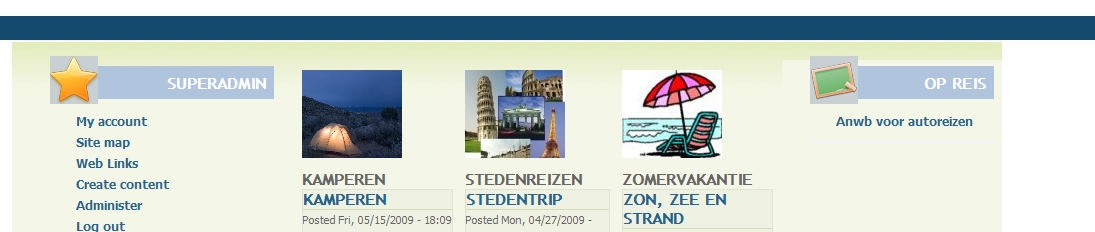
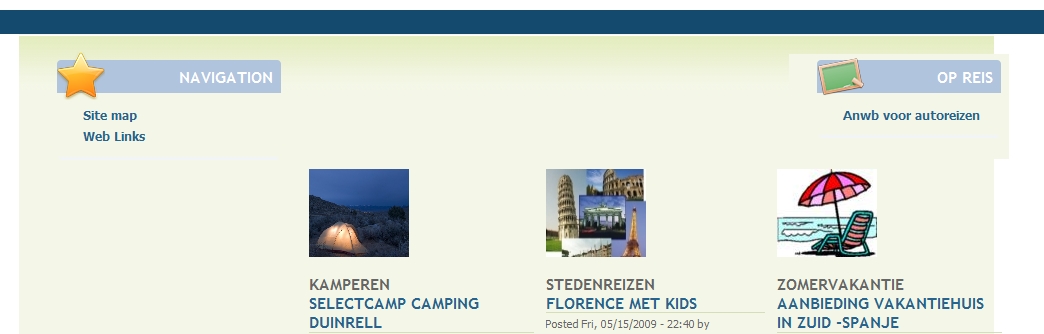
I try to use acquia marina on my site, but am not able to get the content area nicely in between.
On IE6 it looks ok, but on IE8 and firefox the sidebar-last is above the content-area.
See attached pictures for explanation problem.
Thanks for going into this!
Greetings, Martijn
| Attachment | Size |
|---|---|
| acquia_ie6.JPG | 110.39 KB |
| acquia_firefox.JPG | 118.62 KB |
Comments
Hi, I solved this somewhat
Hi, I solved this somewhat with panels, using panels 3 columns stack, and setting the panel only to 76%. But other modules theming still problem. So I still think it should be solved in the acquia_marina theme itself, right?
/* $Id: threecol_33_34_33_stacked.css,v 1.1.2.1 2008/12/16 21:27:58 merlinofchaos Exp $ /

.panel-3col-33-stacked {
/  overflow: hidden;  */
}

.panel-3col-33-stacked .panel-col-top,
.panel-3col-33-stacked .panel-col-bottom {
  width: 78%;
  clear: none;
}

.panel-3col-33-stacked .panel-col-top .inside {
  margin-bottom: 1em;
}

.panel-3col-33-stacked .panel-col-first {
  float: left;
  width: 26%;
}

.panel-3col-33-stacked .panel-col-first .inside {
  margin: 0 .5em 1em 0;
}

.panel-3col-33-stacked .panel-col {
  float: left;
  width: 26%;
}

.panel-3col-33-stacked .panel-col .inside {
  margin: 0 .5em 1em .5em;
}

.panel-3col-33-stacked .panel-col-last {
  float: left;
  width: 26%;
}

.panel-3col-33-stacked .panel-col-last .inside {
  margin: 0 0 1em .5em;
}

.panel-3col-33-stacked .panel-separator {
  margin: 0 0 1em 0;
}
link
http://groups.drupal.org/node/21665 same problem
Inset sidebar is by design
The right sidebar is inset into the content, so that text wraps beside and below. This is not a bug and is not going to change as the standard in the theme. The idea was to break out of some of the common cliches of full column Drupal themes, and offer a sidebar block style best suited for a blog/news site, or something with mainly text content.
When you design a theme to the lowest common denominator, with a style that works for everyone, using only the least problematic techniques, then you end up with a lot of themes looking rather similar ;) So I hope people will understand our decision to break out of the box here.
With things like tables, forums, etc if you're trying to use the three column layout, you're going to have problems. I would recommend that you add some custom CSS for your particular content (ie. to restrict the ID of a forum table or view to a certain width), or if you want to make the sidebar permanently take up that entire width and not have text wrap below at all, just override the main column width for the .layout-first-main-last definition in the CSS. Since this latter one is a not-uncommon request, we should probably add it as some commented out CSS in the local.css file so it's easy to find.
But yes, as you've noticed, we're moving towards Panels 3 support with the theme, which gives even more options for creating whatever layouts you want :)
~~~
{ Drupal Themes from TopNotchThemes }
~~~
{ TopNotchThemes | Fusion Drupal Themes }
Hi Stephanie, Thanks for
Hi Stephanie,
Thanks for clarifying. Now I understand why you choose for this layout.
I solved my proble setting panels-layout to 76%! See www.aanbiedingen-vakanties.nl.
Thanks for building a great theme!
Greetings,
Martijn