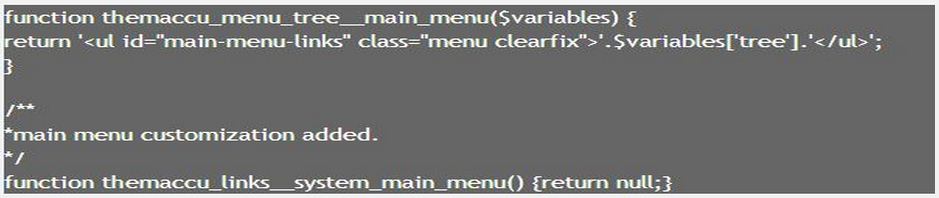
Now come to Header Menu Style. Drupal 7 has simple Menu Bar system. It has no drop down menus. Many people have suggested to use Nice menu module or Superfish. There is a discussion forum also in http://drupal.org. In this section we will learn how to dodge drupal core menu system. This idea I have taken from http://www.prcweb.co.uk/2012/05/adding-a-drop-down-menu-to-drupal-7s-bar... and implement it into the theme. You just see in the image that how the codes are implemented. We have ended here "template.php" editing.
Note: replace "@" with first HTML bracket and "@@" with end HTML bracket.
Codes:
/**
* Implements theme_menu_tree().
*/
function themaccu_menu_tree($variables) {
return '@ul class="menu clearfix"@@' . $variables['tree'] . '@/ul@@';
}
/**
*main menu customization added.
*/
function themaccu_menu_tree__main_menu($variables) {
return '@ul id="main-menu-links" class="menu clearfix"@@'.$variables['tree'].'@/ul@@';
}
function themaccu_links__system_main_menu() {return null;}
/**
* Implements theme_field__field_type().
*/
function themaccu_field__taxonomy_term_reference($variables) {
$output = '';
// Render the label, if it's not hidden.
if (!$variables['label_hidden']) {
$output .= '@h3 class="field-label"@@' . $variables['label'] . ': @/h3@@';
}
// Render the items.
$output .= ($variables['element']['#label_display'] == 'inline') ? '@ul class="links inline"@@' : '@ul class="links"@@';
foreach ($variables['items'] as $delta => $item) {
$output .= '@li class="taxonomy-term-reference-' . $delta . '"' . $variables['item_attributes'][$delta] . '@@' . drupal_render($item) . '@/li@@';
}
$output .= '@/ul@@';
// Render the top-level DIV.
$output = '@div class="' . $variables['classes'] . (!in_array('clearfix', $variables['classes_array']) ? ' clearfix' : '') . '"' . $variables['attributes'] .'@@' . $output . '@/div@@';
return $output;
}
| Attachment | Size |
|---|---|
| Capture.JPG | 33.51 KB |