
Posted by bill.mclaughlin on December 2, 2011 at 5:38pm
Ran into a serious issue today.
Invited a new user to a site via Control Panel - Users - Manage Members. Filled out the form to add the new user. The new user has been assigned ALL roles in the system, including administrator (!).
When the user clicks the link in their email to complete the registration process, they go to their /user page and they are already logged in as Admin (!?!?!). They have full access to the admin ribbon and can self-select their roles. Obviously not a good thing.
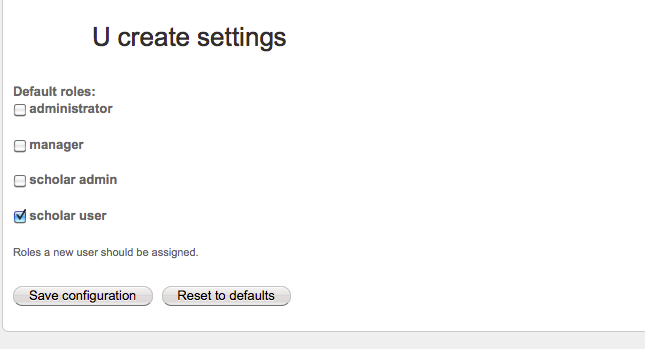
My U create settings says that new users should be assigned the scholar user role.
Anyone had this issue before?
Screen grabs attached.
Thanks,
Bill
| Attachment | Size |
|---|---|
| gijimmyj confirmation message.png | 21.5 KB |
| gijimmyj all roles.png | 21.01 KB |
| openscholar ucreate settings.png | 32.61 KB |


Comments
one other thing: we are on
one other thing: we are on Beta 11.
I can say that I have not
I can say that I have not seen that on any version of openscholar. Have you changed any settings that you think might impact that? Or installed any contrib modules related to users/ user management?
-RB
Thanks for responding
Thanks for responding rbrandon. I'm stumped. It's a clean install with no contributed modules. I changed the U create settings a few times. Only other thing that is different is we have a few rules on the server for SSL. If the path contains /user/ it's under SSL and if the path contains /cp/ it's not under SSL. This was done because some of the Control Panel features were not working right under SSL - namely adding users to a site whether they are new or existing.
If you temporarily roll back
If you temporarily roll back your ucreate and ssl changes does that fix the issue, it sounds like those could directly impact the user registration.
-Richard