
Posted by jjmonterey on August 31, 2012 at 6:16am
I am using Dev desktop. Omega Html5 24 col
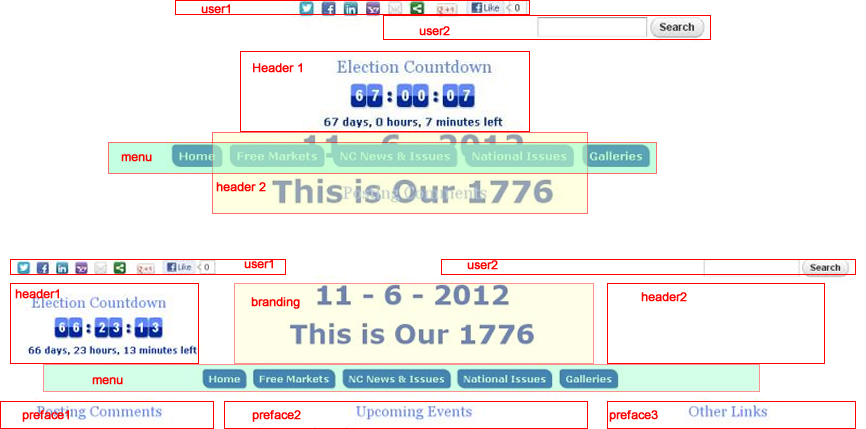
When my screen is at the "narrow" breakpoint, the "branding" region is overlapping the menu region.
Attached .png bottom image is wide region layouts
I have moved the header 1 and header 2 to the branding region width 7col
branding 10col. All stacking narrow is as per the weights. except for the branding overlapping the menu.
Disabled debugging. No added classes in the Omega zone config area.
Any Ideas? It happens in all browsers tested.
| Attachment | Size |
|---|---|
| overlap2.png | 200.74 KB |
| overlap4.jpg | 107.87 KB |

Comments
It looks like a CSS layout
It looks like a CSS layout issue, your header2 or branding is removed from the normal flow of the document, probably with a float, so the menu region fills that space. You should be able to fix this using a clearfix class, or other CSS technique. Do you have a link to the site to be able to view the source code?
Overlap
Thanks ,
I never did figure out what was the specific culprit, but I started with another omega custom CSS file that worked fine, substituted my new selectors as needed and everything now stacks fine in narrow.