
Posted by telpinaro on June 17, 2013 at 6:39pm
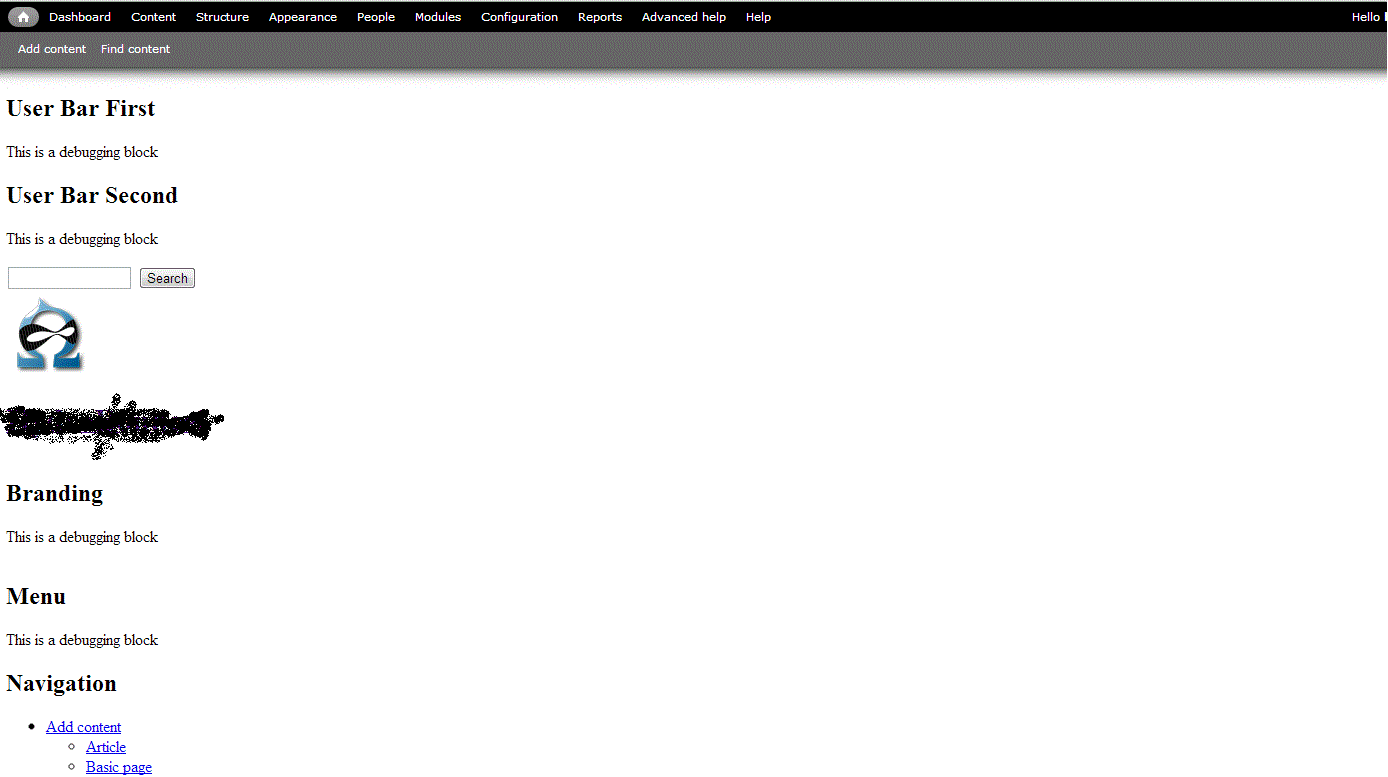
I'm fairly new to drupal and omega, but I've created a few successful omega themes in virtual test sites. Now, when I go to put it on a live site, it winds up looking like the attached. No grid lines, just columns of text telling me that "This is a debugging block." I can put things in the blocks, functionality is there, but I have no option for changing the display (usually there's the "resize me" button, but it doesn't exist here). I've deleted and reinstalled omega (and the appropriate modules) twice, but that is all I get. There must be something simple I'm overlooking... Any idea what it is?
| Attachment | Size |
|---|---|
| drupal.gif | 26.92 KB |
Comments
Go to the themes setting
Go to the themes setting area. I 'think' it is the second tab down, you should see some options to turn off debugging grids etc...
I'm trying to get them on!
I'm trying to get them on! All are turned on under settings (it's actually the thrid tab-thanks!), but they don't show up. I want it to display on a normal computer screen as if it were showing on a normal computer screen. As the attached picture shows, it's showing mobile only, and not giving me an option to change it.