
Posted by Sinan Erdem on April 2, 2018 at 8:54am
A major issue about scalability with Drupal for authenticated users is the performance issue on a 2-tier architecture (database on a separate instance on the same network).
Can you please confirm or deny my assumptions here?
- Even with a very fast connection between servers (AWS same Availability Zone), there is a small round-trip time between servers (around 0.5ms)
- Typical Drupal page takes hundreds of queries to generate (cache disabled).
- Latency for each query is added up in the page generation time.
- All of the above issues causes higher load times on a 2-tier architecture.
- I left any type of caching out to compare db performance.
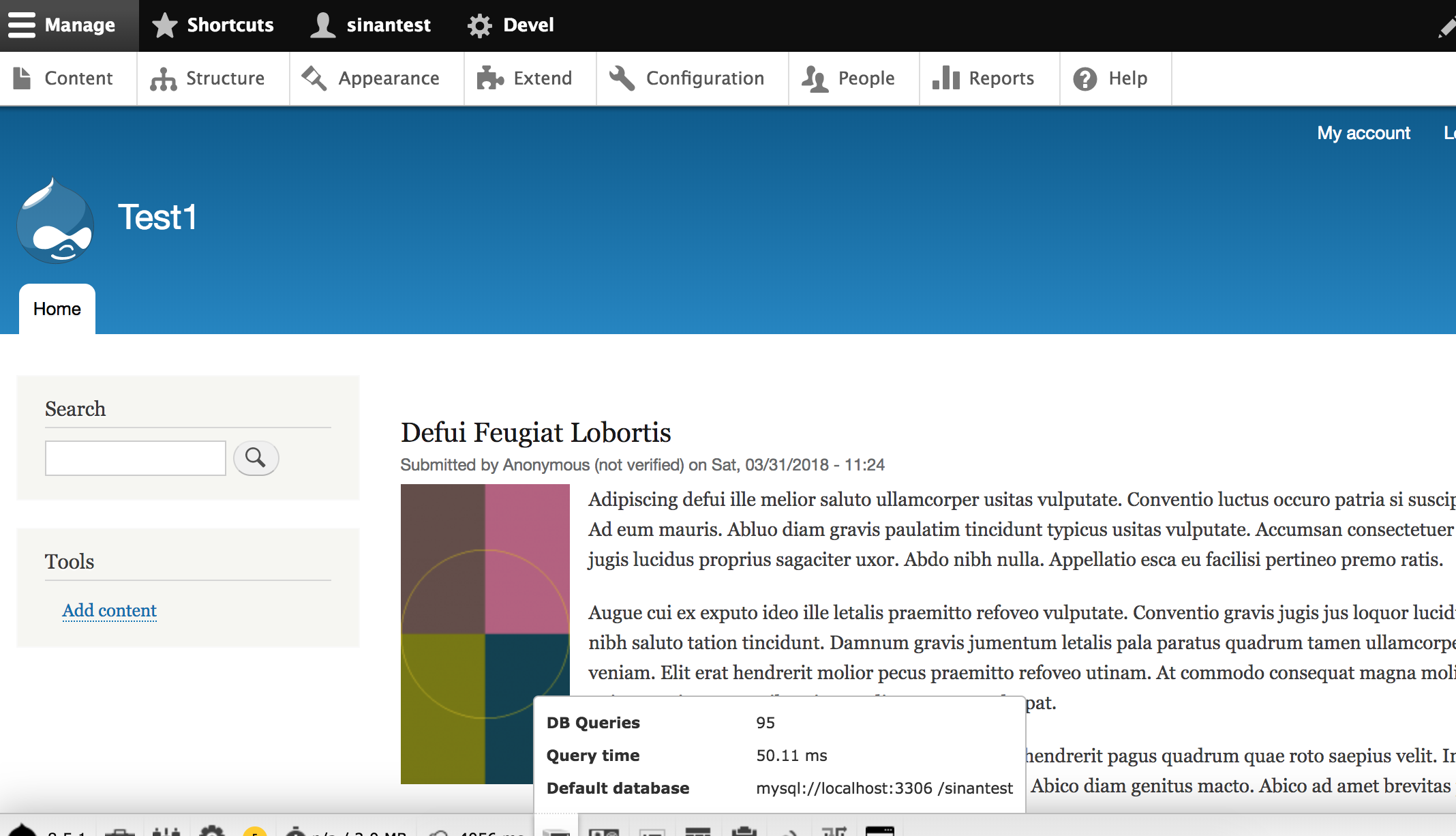
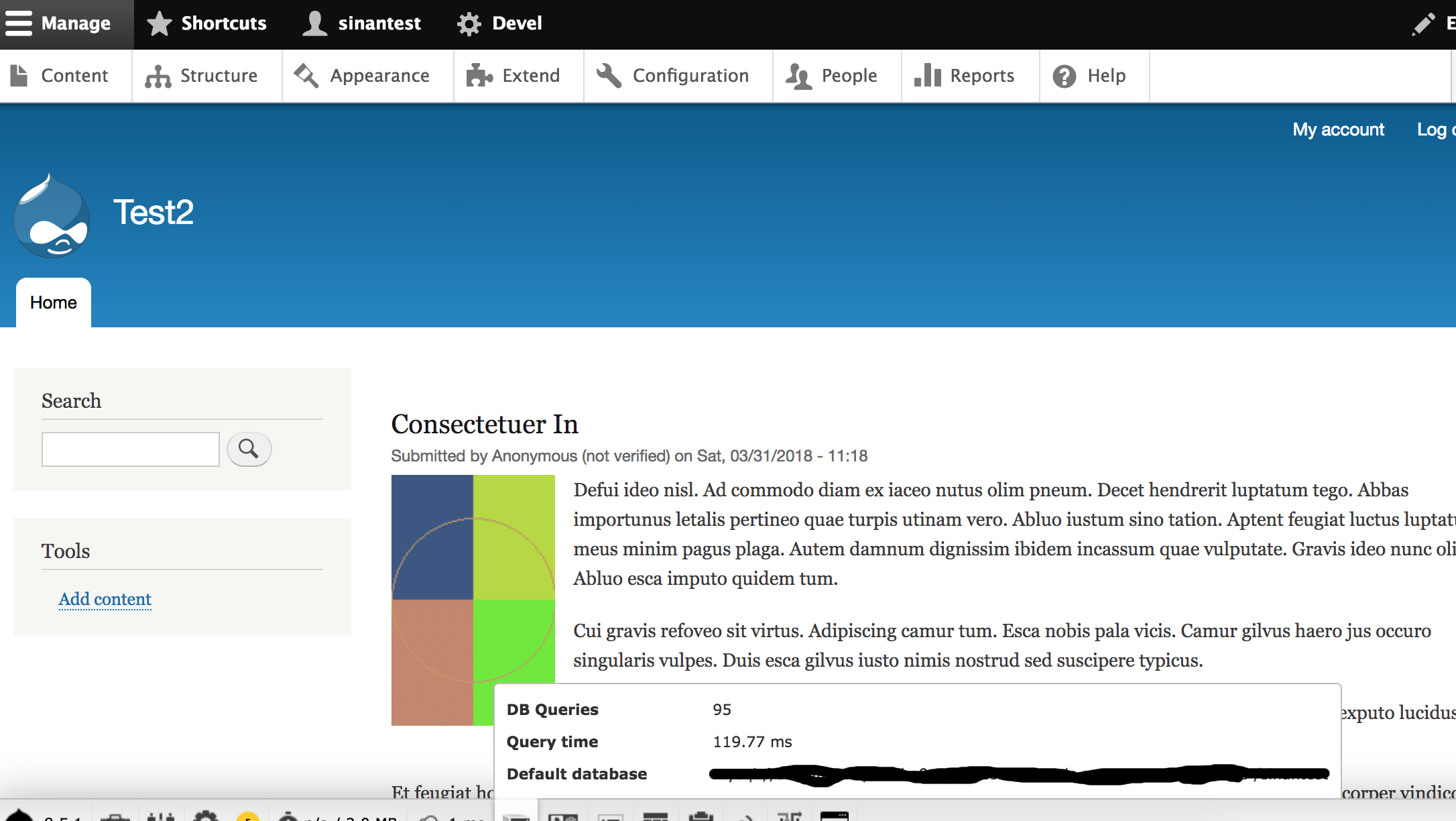
At the bottom are screenshots from a test I have done on AWS. Test1 is a same server installation. Test2 is a 2-tier installation in the same Availability Zone. They both have 1000 auto-generated nodes. Everything is same except for database connection.
The results show that page load times are generally doubled.
Does anyone know a solution to this problem?
| Attachment | Size |
|---|---|
| Test1.png | 389.75 KB |
| Test2.png | 262.97 KB |
Comments
Solution for problem
PSB link to for details
https://www.drupal.org/docs/7/managing-site-performance-and-scalability/...
Gaurav Deshpande
Everything Opensource way
Profile: https://www.linkedin.com/in/gauravvdeshpande
Hello Gaurav, The
Hello Gaurav,
The documentation you sent doesnt cover the problem I stated in my initial post.
Hello Gaurav, The
Hello Gaurav,
The documentation you sent doesnt cover the problem I stated in my initial post.
I'm not on AWS
I'm not on AWS but there are a couple of things you could do:
Sqlproxy might help with the initial db connection http://www.proxysql.com/
Using async db connections might help https://www.drupal.org/project/apdqc (Currently only for cache layer in D7)
about apdqc + proxysql
hi mikeytown2
I am a real fan of your module APDQC.
L just read your comment and would like to know if i would get a benefit using your module together with Proxysql
Thanks
Hi mikeytown2, There is
Hi mikeytown2,
There is nothing special about AWS in this issue. It could be two regular servers connected in the same LAN.
The real problem is the queries and the answers to queries are not aggregated. Just like Subrequests (https://www.drupal.org/project/subrequests) module does between the client and server, there should be a mechanism to do something similar between application server and db.
I dont know what proxySQL does. Can you explain a little bit?
LAN
My setup has MySQL on bear metal (2 boxes) with Apache on a VM (4 webheads). Latency isn't an issue for me; it's all in the same rack. You're describing an issue that's common with virtual hosting (like AWS).
This might help explain what proxySQL does https://www.percona.com/blog/2017/09/01/life360-used-proxysql-lower-data.... Long story short you want to install it on your apache box https://www.percona.com/blog/2017/07/20/where-do-i-put-proxysql/ so locally the connection between drupal and proxySQL is a socket.
In order to do sub requests in the DB you'll need to re-write drupal to a certain extent so that it can use async queries. I did this for the DB cache layer, making it scale just like if you use a memory cache like redis or memcache. Doing it for all queries would take a lot of effort but would solve the issue you're describing.
Same box possible?
Hello Sinan,
(tl;dr - your choices seem to be either accept network latency, or co-locate your database service on the same box as your web server).
The organisations I have worked with in the past have taken one of two approaches;
1) Accept the latency as a side-effect of having a setup with one or more better-specified, independent MySQL servers running apart from one or more web servers, or
2) Run a MySQL server instance on each web server, with master-slave or multi-master replication in place.
Option 2 with master-slave has complexities around writing to a different MySQL server than you are reading from, unless the web server happens to be on the master, and introduces new risk in that if that particular web server is hammered, it will probably take down your MySQL master.
Option 2 with master-master replication removes the risk of the web server taking your master down during peak loads, but introduces more complexity with regards to master-master replication.
Generally, option 1 allows for a configuration with better separations of concerns, better stability, and better modularity should you need to swap one component - web server, MySQL, file server if you have one, etc - in production; there will always be some overhead from round trip latency, but you can do a lot to mitigate this with careful tuning, minimising the enabled modules, and so on - right up to splitting your site into several different Drupal instances running only the modules needed for that instance.
Sorry, I rambled on a bit and may not really have helped your situation, but I hope my rough notes provide some food for thought.
Best wishes,
Alex
Thank you all very much. My
Thank you all very much. My head is a lot more clearer now.
I will do some tests on both AWS and our rack with actual website's copy. I will compare the performance and decide.
We already did some attempt to use master-slave or master-master, but as you have said, it was complex.
I wanted to get benefit from AWS tools and services like Load Balancer, Aurora DB, autoscale etc.
Most the time this happens,
Most the time this happens, it's because of site building that went off track. You could avoid this by using a single massive server, but realistically, it's not too hard to find and fix the site building issue.
Turn on the query count debug output in the footer and check the query counts on your top 20 pages. If you have over 300 queries per page, your site builders went off track, and you'll want to sort out what was done to generate too many queries on a single page.
And, if your live site really has only a 50ms delay added on talking to the remote database, then you're in great shape and have little to worry about.
--
Portland Drupal Developer
Ensure to use memcache / redis
The time being doubled here is due to 1000 nodes on a stock Drupal site being not the best benchmark possible, it is mostly rather added than doubled.
One thing to also take into account is to put the cache in redis or memcache.
Usually several queries of the main request are cache gets.
Thanks,
Fabian