
Posted by teckcrew1 on September 27, 2010 at 8:59pm
Hello,
I am using Openlayers and I have created a map via a view with all my points. I want to create a link to a specific node on hte map and have it automatically zoom and center to that link. I have looked briefly at geo_taxonomy, but it looks liike a lot of work to add every node so I can zoom to it.
I was hoping there was a parameter I could pass intop the view, like this:
mysite.com/openLayersMap?zoomLevel=5&node_id=32322
this would then zoom to thae location of that node at the location with the given zoomLevel.
basically I just need to be able to zoom and cetner to a specific location on the map and the key is dynamically, without havinng to set up geo_taxonomy for each node.
Any help is much appreciated.
| Attachment | Size |
|---|---|
| Drupal-map.png | 222.38 KB |
| DrupalZoomToLAyer.png | 9.68 KB |
| viewsTermID.png | 83.62 KB |
Comments
You can simply add lat/lon
You can simply add lat/lon fields to nodes with CCK, and create an OpenLayers Data display that gets the node id from a URL segment. This way you don't need to have a taxonomy term per node. If you set zoom to feature / zoom to layer behaviors on the map preset and set the default map style to be transparent, then it's the same as just zooming to a location.
super!
That is so excellent!
Worked like a charm!
I looked for this feature and found your comment. That is exactly the feature that I've searched.
Thanks!
That was EXACTLY what I have
That was EXACTLY what I have been trying to do! Thankyou!
Thanks tmcw
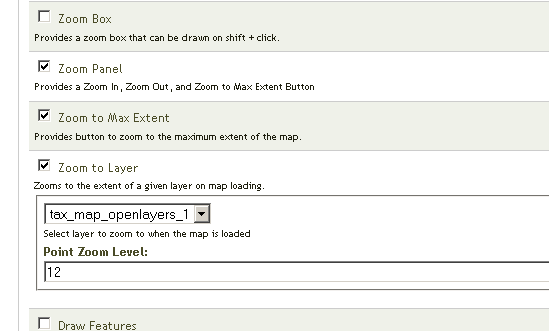
You mentioned using the Zoom to Layer. I tried using this but it is not working for me.
I have been playing around with things and decided to use geo_taxonomy to set up my terms. I have everything defined according to this post: https://drupal.org/node/904898.
However the Zoom to Layer feature is not working for me.
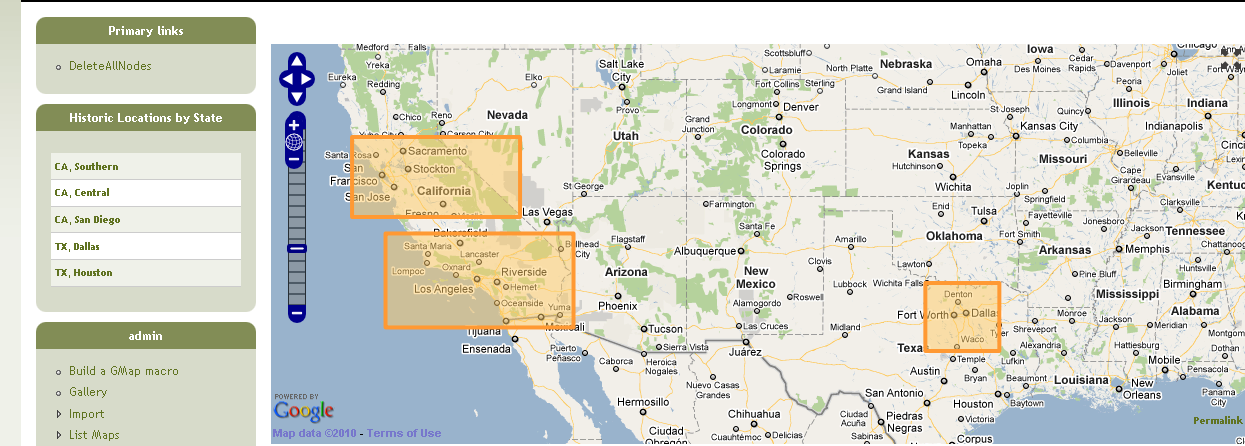
I have set the bounds, as specified and it is not zooming. See the orange sections on the map (attachments are in the original post above). I am using a taxonomy term block to display the terms which passes a parameter to the view which should center and zoom the map. My wits are dimming on this one.. I have been working on it for at least 3 hours and still have not found the solution.
Anyone's help is greatly appreciated!
What is the map that should
What is the map that should be zooming in? Have you tried loading that map, with the boxes styled as something not invisible and seeing whether they are displayed at all? It's more likely that the views-url-arg-term-loading is incorrect than the zoom to layer functionality, and you should check the former first.
It is the top map that should
It is the top map that should be zooming. Are you saying the url into the view may not be correct, and nso it is not parsing the arguement correectly? This is the first time I am setting up a 'term' view, so it may easily be incorrect. When I set up the term view parameters, I just set it to use all the defaults.
Please See the following url:
http://www.myfavoritebungalows.com/category/historic-locations/tx-dallas
This is the same as this one:
http://www.myfavoritebungalows.com/taxonomy/term/1
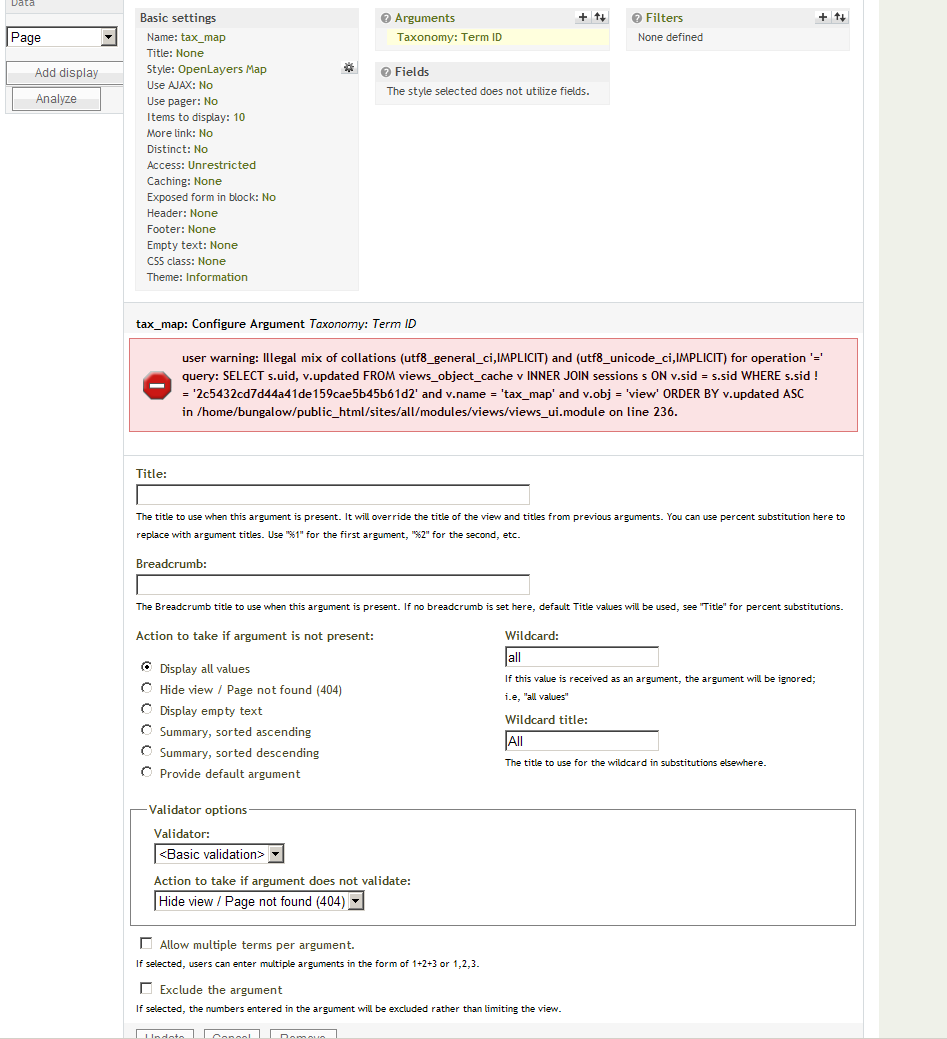
Neither of them are making the map zoom to center. When I set up my view, I added an arguement with termID and accepted all the defaults. Do I need to set some different values in the view?
Thanks much for your help!
(I added my views config screenshot to the original post for your reference.)
So, the argument to filter
So, the argument to filter terms down to a single term is clearly not working, since you can see three bounding boxes displayed on the map. Therefore, it is zooming to three bounding boxes; zooming is working, the term argument is not.