
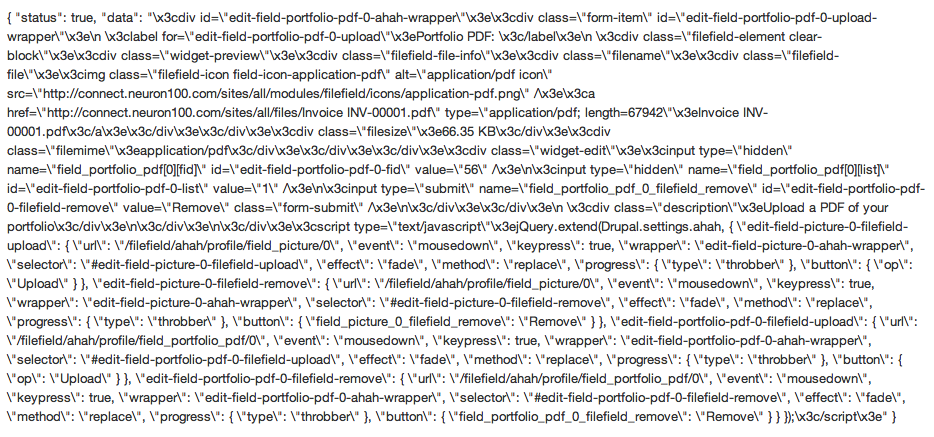
Hey everybody, I've been hitting drupal.org pretty hard for an answer, but haven't had any luck. I'm having an issue trying to upload images and files using Safari. Specs on the install: drupal 6.20, FileField 6.x-3.10, ImageAPI 6.x-1.9, ImageField 6.x-3.10, CCK 6.x-2.9 all of which are up-to-date. When I try uploading an image to an image field I am able to browse and choose the image file, but when I click "upload" i get what some have termed "the dreaded code dump" (see attached screen shot, the upload field is completely replaced by the "code dump" after pressing upload). My guess is that this code dump is in XML format.
Drupal.org offers a lot of discussion on safari timing out on file uploads, but there is minimal discussion on this problem. Also, this problem does NOT EXIST in any other browser. Thoughts anyone? I'm happy to do the research if you refer me to relevant materials. Any help is much appreciated!
| Attachment | Size |
|---|---|
| Screen shot 2011-05-11 at 1.51.31 PM.png | 130.75 KB |
Comments
JavaScript errors?
That code dump is JSON, and it looks like an AJAX response for a file upload. Somehow your browser is being directed there rather than sending the AJAX request. My first guess would be you have a JavaScript error somewhere on the page, and that's breaking the AJAX stuff, only in Safari for some reason. So I'd start by looking Safari's developer console for JavaScript error messages.
thanks for the starting
thanks for the starting place! I would not have thought to look in that direction—I'll post what I find.
unfortunately no errors come
unfortunately no errors come up in the console (console is working—i tried it on a buggy page) I'm disabling modules now to see if I can isolate one that's problematic.
See discussion
There is a very similar discussion at
http://drupal.org/node/375914
Reply #56 looks like a similar dump.
yes, I spent some time on
yes, I spent some time on this discussion but didn't seem to find a good answer to reply #56. Perhaps I wasn't thorough enough :)
update
From my reading this seems to be a problem with webkit and the way Mac OSX interfaces with safari. I'v found a workaround, but no solid solution. Seems like I'll have to wait around for updates from either webkit, apple, or filefield ugh