
I've been trying to figure this one out for over a week now so thought I'd come to the Group to see if anyone might be able to offer a solution.
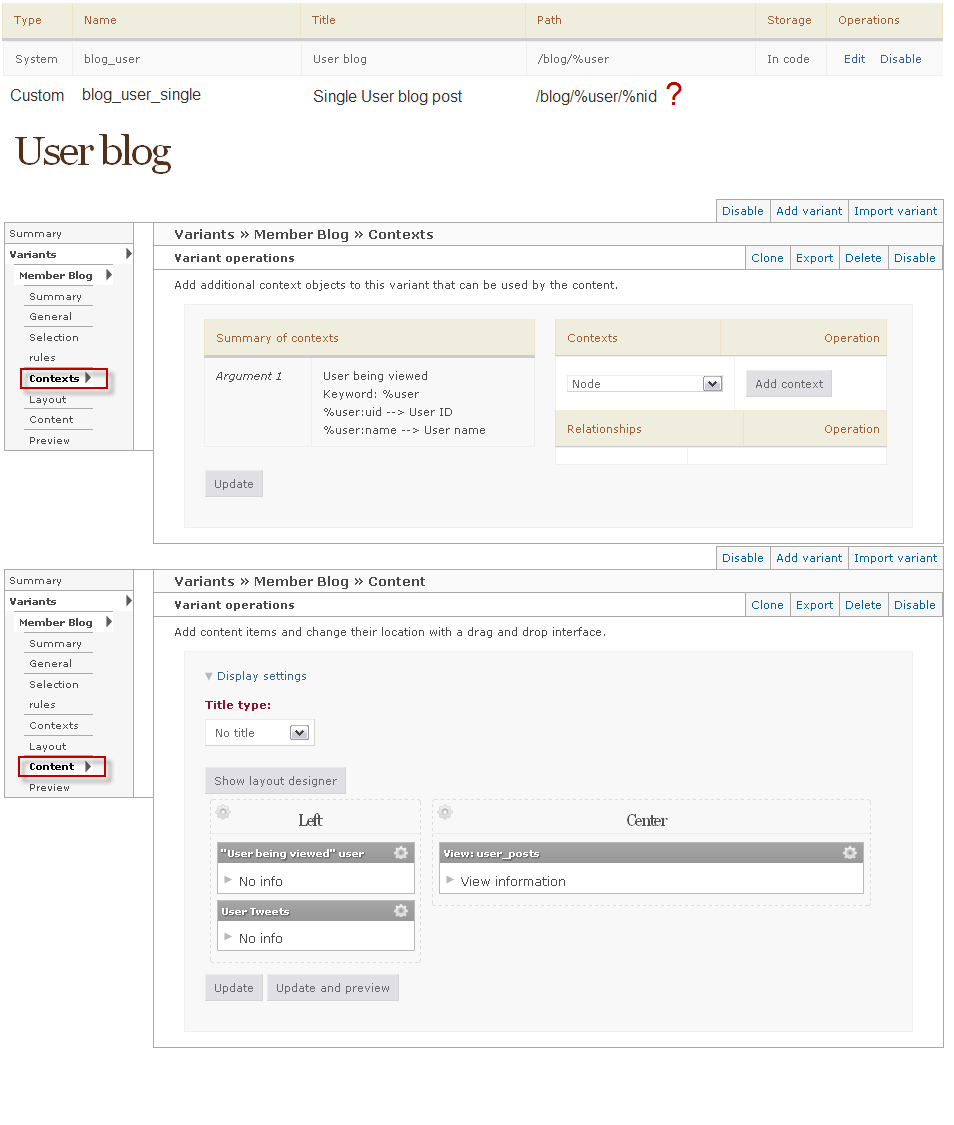
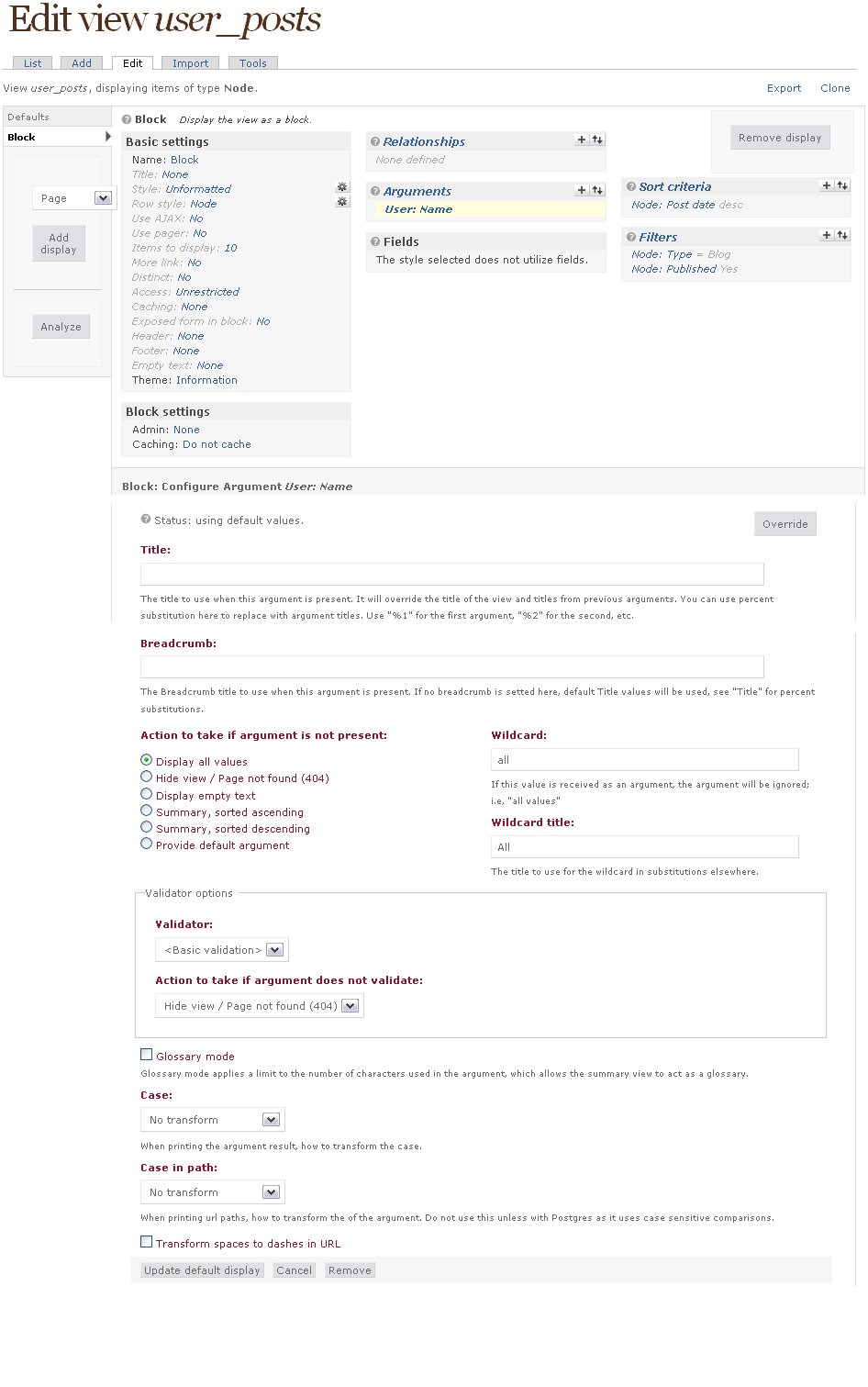
I've attached screenshots of my settings to hopefully make it easier to understand.
Images
I've enabled the built in System Page (blog_user) that allows a User's blog posts to be easily viewed. I chose a Flexible panel and put 3 Views inside, (user_posts, User being viewed, and User Tweets). That part was simple enough and great built-in functionality.
I also added a shot of the View a reference.
The Problem
When a blog post is promoted to the front page and a user clicks on it, it goes right to the plain jane node view. I'm trying to have the single post with comments underneath appear next to the other 2 Views (User being viewed and User Tweets). In my opinion this would be help bring a robust multi-user blogging feature to the site as member Tweets and Profile info will appear next to each blog post.
I think I need to create a 2nd panel page that will hold the 3 views (User being viewed User Tweets, and Full node + comments) but I'm not sure. Each time I try and configure a new page I'm not making any headway to uncover the solution.
If anyone has had any success with this please kindly let me know as I'm feeling a little stuck in the mud at the moment.
Thank you,
Spencer
| Attachment | Size |
|---|---|
| panel-page-user-blog.png | 34.69 KB |
| views-user-posts.png | 45.25 KB |
Comments
Pathauto and urls?
I don't have a ton of experience with panels, but obviously your panel is only being applied to the overall user blog page rather than individual posts. A simple thing would be to turn on pathauto and construct a path specifically for user blog posts, and then use a wildcard to apply panels to all pages with that url structure.
However, I imagine that there's a better way to do this simply using content types. Hope that was mildly helpful.
David
David,Thanks for your
David,
Thanks for your reply.
Yes that's exactly what I'm trying to do.
My current "Pattern for blog page paths:" is blogs/[user-raw]
My current "Pattern for all Blog paths:" is blogs/[author-name-raw]/[title-raw]
With these URL Aliases in place, would the following path for my new Panel page be correct: blogs/%author/%title?
Same Problem
Experiencing this exact problem with Drupal 7.17 in 2012. Not able to use pathauto as it tends to conflict with i18n.
Anyone else have any ideas?