
Posted by JavaMan on March 15, 2011 at 10:47pm
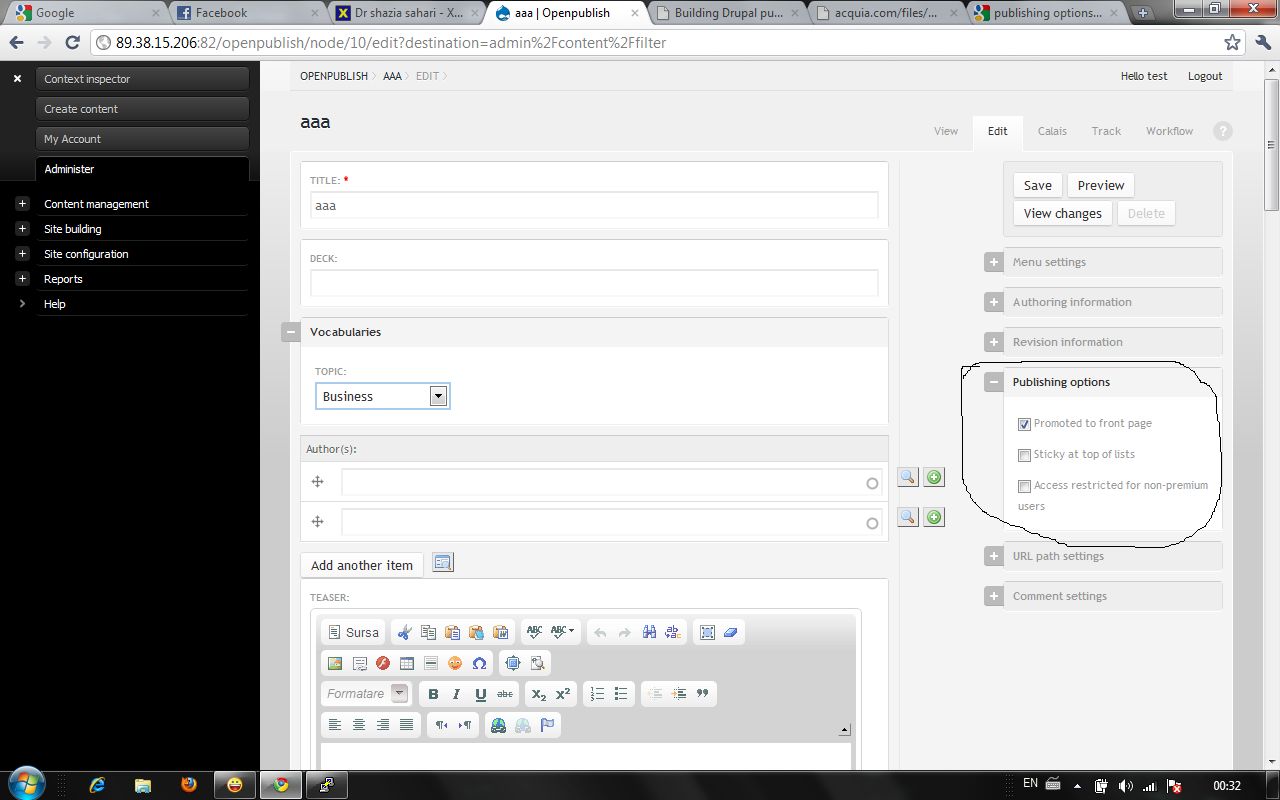
I just install last version of OpenPublish and in publishing option section, the PUBLISHED option is missing. I am the root user of the site,so i have all the permissions. Any idea please? I attach a printscreen.
| Attachment | Size |
|---|---|
| op_problem.jpg | 95.42 KB |
Comments
Look at the bottom of the
Look at the bottom of the edit page. 'OpenPublish Default Workflow'
What you're looking at are additional publishing options.
Yes, but ...
First, appologize for bad english. I saw the default workflow, but look what happens: i writting the article, i want that article to pe published immediately, so i check the PUBLISHED radio button in the default workflow, and i save the article. But the article is not published. I must enter again in the edit mode for that article, check again the PUBLISHED radio button, save, and finally, the article is publish. Why that?
That's because of the rules
That's because of the rules module.
It won't allow you to publish straight away.
You could alter the rules if you want.
-Ronald
Ok, and how can i do that?
How to do that? Because i saw that is no rule set.
And one more thing please. In openpublish_thme.info, is no content region declared? Why?
go to
go to admin/rules/trigger
that's where the rules are for OpenPublish.
If your openpublish_theme.info is empty, then upload it again, as it's filled in my end
-Ronald
I'm sorry...
... my bad english...
openpublish_theme.info is not empty, but i didn't see regions[content] and i'm wondering why.
Thanks for your help.
there's no content region,
there's no content region, because OP uses a non-default layout with the context.
You can (and should) create your own subtheme.
-Ronald