
Hi All,
This is a crummy tutorial. However, in my defense I did spend the last 2 hours putting it together and countless hours trying to figure these modules to do it in the first place. It is probably for the intermediate to advanced Drupal user, mostly because I'm sure there are some mistakes in it, some intermediary steps missing and I didn't make it very elegant.
I have been wanting to build a business directory that serves the boating industry. The problem has been that I need to accommodate a search mechanism on a map of a location of a business that might be in a tiny town with only a dock and 6 people living in it on a far away island. Taxonomy doesn't make it easy for me to create such a search mechanism after adding more listings. What I need is a way to use autocomplete to search for locations on a map with the results from only already geocoded fields and this is my solution.
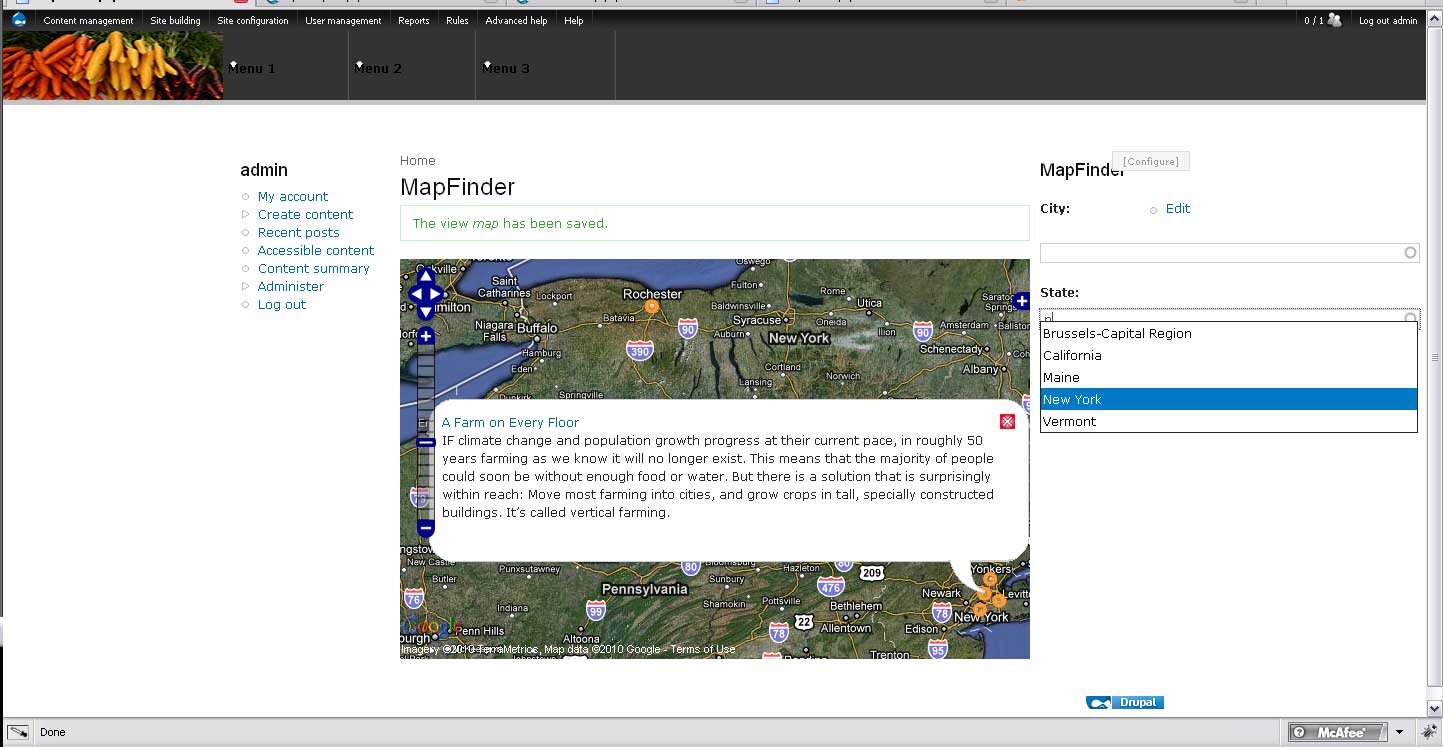
The current project that the images are taken from is a recipe database of dishes that use local grown ingredients. We have an urban farm and I was telling the farmer about some of the cool things I was making such as pickled green beans with spicy sweet peppers and she said I should write down the recipes. I thought it better put them online and now rather than cooking, :( I'm going too far overboard with this website. The idea is to go to local farmer's markets, ranchers, and farms, pick out some products and make something with them. Then put the recipes with video, photos, an interesting article about the place and a directory listing of the place into a database. Since the focus is local and organic, having the articles and listings geocoding is a must.
Modules used:
CCK
TEXT FIELD
FINDER
FINDER AUTOCOMPLETE
FINDER VIEWS
OPENLAYERS
OPENLAYERS CCK
OPENLAYERS GEOCODER
OPENLAYERS UI
OPENLAYERS VIEW
VIEWS UI
VIEWS
TOKEN
Add google API to OpenLayers Keys
Create content type:
1.Add Text field field_location_city
2.Add Text field field_location_state
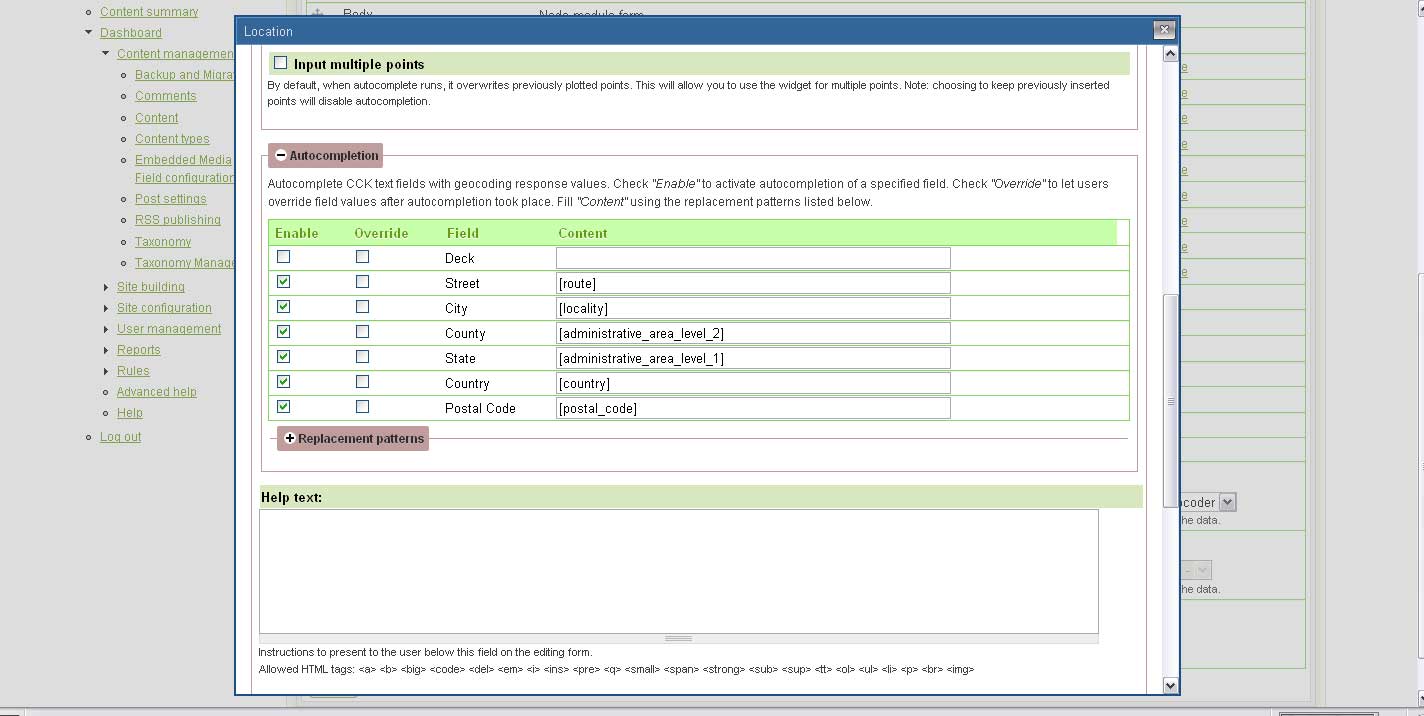
3.Add OpenLayers WKT OpenLayers Geocoder field field_location_state
Add under the autocomplete configure section the tokens [locality] to City and [administrative_area_level_1] to State
Set Feature Types to only Point
To Create the View:
1. Create view:
View name: map
view sedcription: Map
-
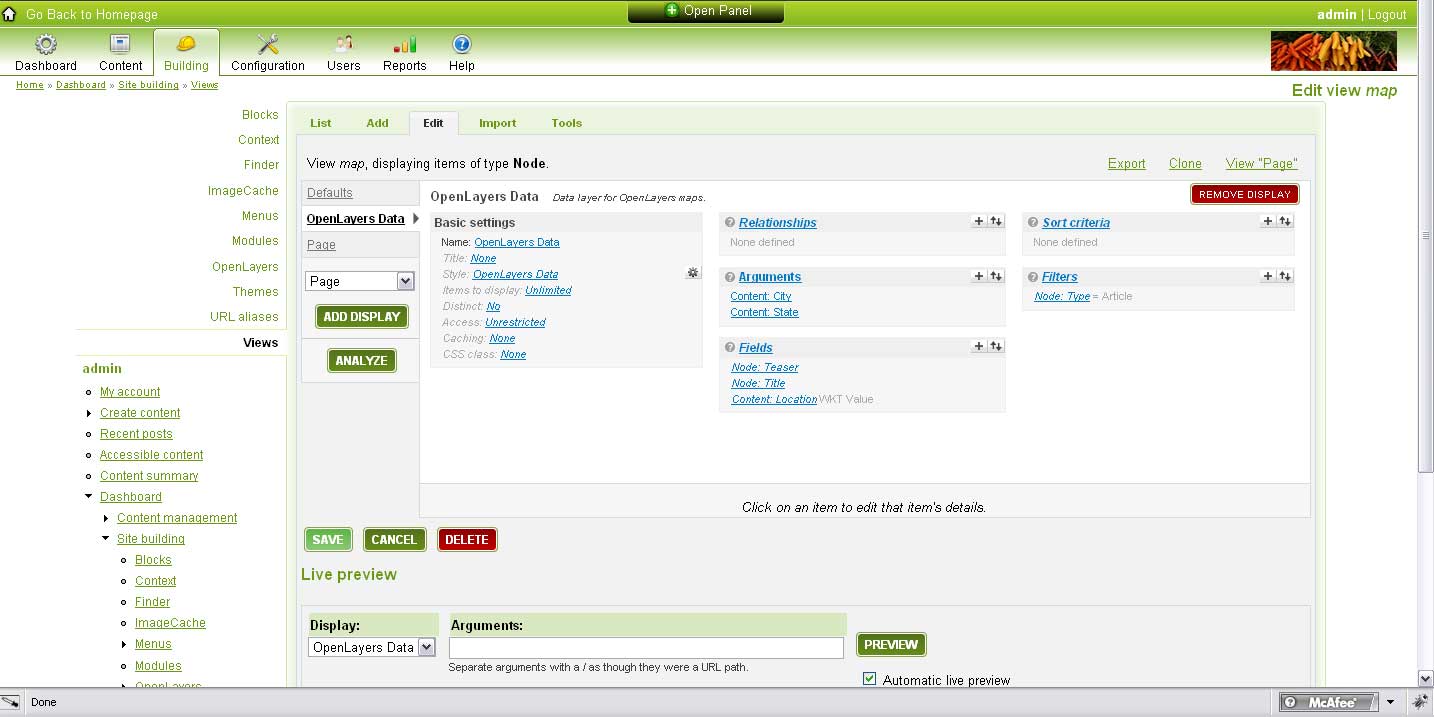
Add display: Openlayers Data
-
Hit styles: Cick Openlayers Data
Update Default settings -
Add fields:
Content: Location (field_location_wkt)
OpenLayers WKT - Appears in: Article
Label: None
Format: WKT Value
Node: Title
The title of the node.
Node: Teaser
The teaser of the node.
-
Click the settings gear on Style: OpenLayers Data
Map Data Sources: OpenLayers WKT
WKT Field: Location (field_location_wkt)
Title Field: Title
Description Field: Teaser -
Save View
-
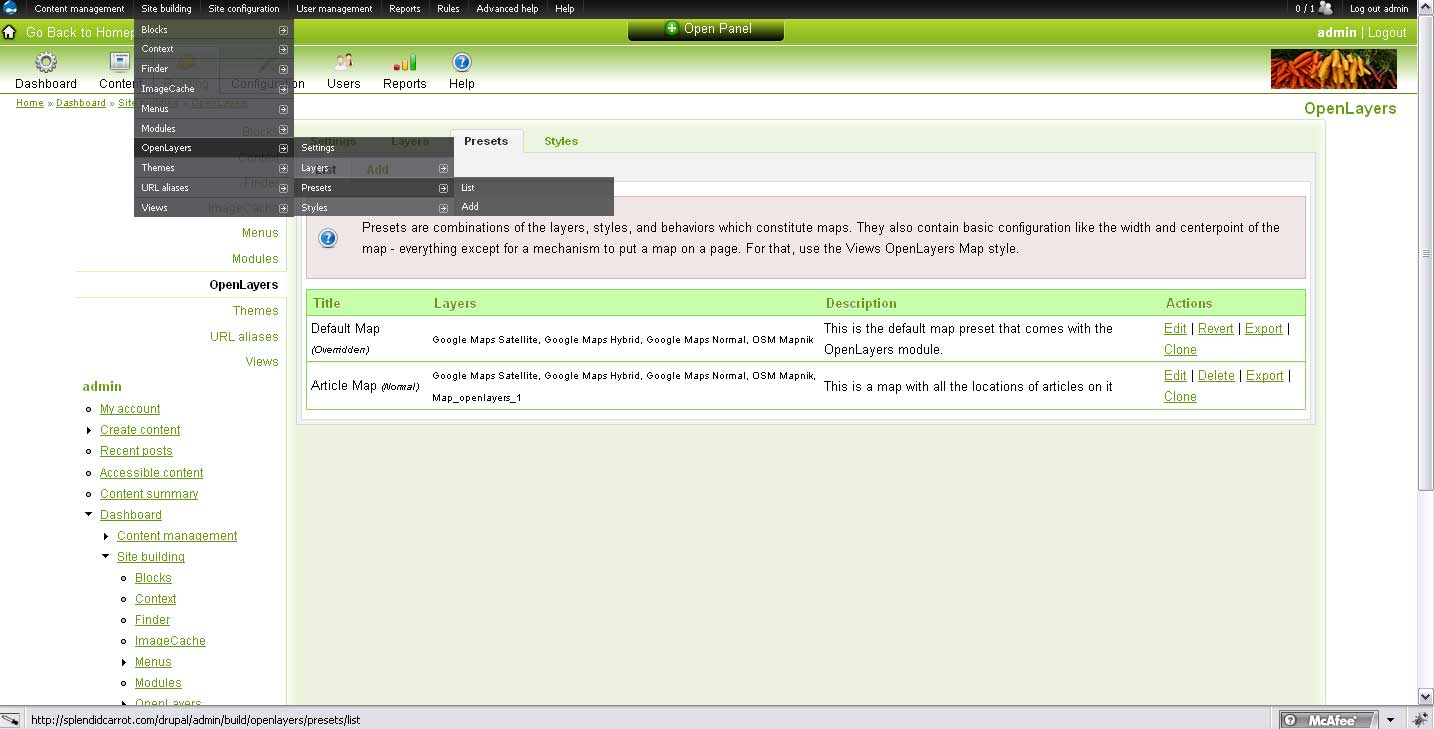
Clone the OpenLayers default preset and name it something
-
Add the Overlay layers view Map - Openlayers Data by clicking Enabled and Activated.
-
Save new preset
-
Return to view and create a page
-
Change Views style to OpenLayers Map
-
Override and Update
-
Set Page: Style options to whatever you named the cloned OpenLayers map to -- in my case it is the Article Map
-
Set the Path to something -- in my case it's map
-
Save view
Create the Finder:
-
Go to Site building -> Finder list (admin/build/finder)
-
Add a new finder -> Views finder
-
Click Add finder
-
Set Title: Map
-
Set path to something unique like: mapfinder (can't have back slash that comes with default because of arguments)
-
Click provide block
-
Views settings -> Find items from this view -> existing views -> map
-
Click Advanced settings -> No results output -> show results on results page even before the form has been completed
-
Add element -> Autocomplete textfield
-
Click Save finder
-
Set Element title to 'City'
-
Set Finder form element settings -> Default value to all
-
Set Possible choice -> Find items by this field to Content: City (field_location_city)
-
Save element
-
Add another autocomplete element on the Finder main page
-
Before you hit save:
Set Views settings -> Views Displays Query display to OpenLayers Data (openlayers_1)
Set Views Settings -> Views Displays Output display to Page_1 (page_1) (it has the map :) -
Save finder again
-
Set Element title to State
-
Set Finder form element settings -> Default value to all
-
Set Possible choice -> Find items by this field to Content: State (field_location_state)
-
Save element
Configure blocks:
Put the Finder:Map block (admin/build/blocks) into a visiable region
Return to View and select the OpenLayers data:
-
Add argument
-
Select
Content: City (field_location_city)
Text - Appears in: Article -
Action to take if argument is not present -> provide default argument -> PHP code ->>>>> return arg(1);
Action to take if argument does not validate -> Display all values -
Override and update
-
Add argument
-
Select
Content: State (field_location_state)
Text - Appears in: Article -
Action to take if argument is not present -> provide default argument -> PHP code ->>>>> return arg(2);
Action to take if argument does not validate -> Display all values -
Override and update
-
Save view and have fun
| Attachment | Size |
|---|---|
| Map_finished.jpg | 113.32 KB |
| Map_CCK.jpg | 95.61 KB |
| map_openlayers1.jpg | 90.06 KB |
| map_openlayers.jpg | 93.5 KB |
| map_views.jpg | 84.01 KB |

Comments
Thanks for this tutorial.
Thanks for this tutorial. What a great job you have done. Would it be possible to test it on a site where it's used for study, please?
Thanks for the tutorial. Do
Thanks for the tutorial. Do you have a url we can look at?
I'm stuck. Help please.
This looks like a great tutorial but I'm at:
Set Views settings -> Views Displays Query display to OpenLayers Data (openlayers_1)
Set Views Settings -> Views Displays Output display to Page_1 (page_1) (it has the map :)
I have the Query display (OpenLayers Data (openlayers_1)) but I don't have the "Output Display". Any thoughts as to where I went wrong?
Thanks.