
Posted by Anonymous on September 6, 2010 at 7:56pm
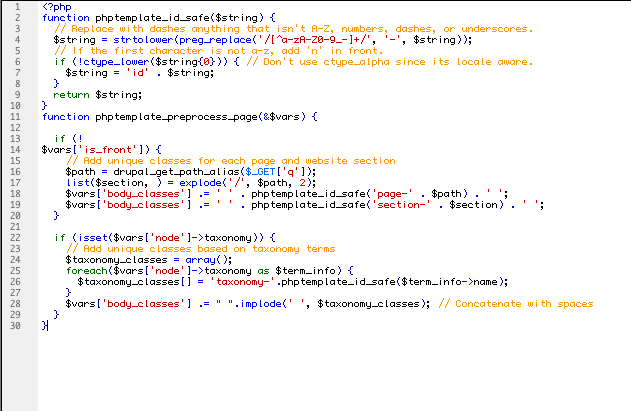
Does anyone knows why OpenPublish will not allow for taxonomy terms to appear on the body tag? I have been trying to change template.php with the following functions:
<?php
function phptemplate_id_safe($string) {
  // Replace with dashes anything that isn't A-Z, numbers, dashes, or underscores.
  $string = strtolower(preg_replace('/[^a-zA-Z0-9_-]+/', '-', $string));
  // If the first character is not a-z, add 'n' in front.
  if (!ctype_lower($string{0})) { // Don't use ctype_alpha since its locale aware.
    $string = 'id' . $string;
  }
  return $string;
}


function phptemplate_preprocess_page(&$vars) {

  if (!$vars['is_front']) {
    // Add unique classes for each page and website section
    $path = drupal_get_path_alias($_GET['q']);
    list($section, ) = explode('/', $path, 2);
    $vars['body_classes'] .= ' ' . phptemplate_id_safe('page-' . $path) . ' ';
    $vars['body_classes'] .= ' ' . phptemplate_id_safe('section-' . $section) . ' ';
  }

  if (isset($vars['node']->taxonomy)) {
    // Add unique classes based on taxonomy terms
    $taxonomy_classes = array();
    foreach($vars['node']->taxonomy as $term_info) {
      $taxonomy_classes[] = 'taxonomy-'.phptemplate_id_safe($term_info->name);
    }
    $vars['body_classes'] .= " ".implode(' ', $taxonomy_classes); // Concatenate with spaces
  }
}
?>
Anyone has any ideas? This will work on a normal Drupal installation but when I try modifying the template.php file on the OpenPublish distribution no taxonomy terms can be found on the $body_classes. Does anyone knows why? I attached an image so that it is clearer to understand.
| Attachment | Size |
|---|---|
| Picture 1.png | 26.4 KB |
Comments
This is odd. Taking a quick
This is odd. Taking a quick glance at the code - it should work. Will try to look deeper later, if I can.
.............................................
http://twitter.com/inadarei
Hi Irakli
Thanks for replying.
Let me retrace my steps and explain what results I received by using openpublish 2.2 .
This code was written and inserted word for word as seen on this post on template.php located on my sub-theme called tml. Tml is a subtheme to openpublish_theme (the one that comes out of the box with the open publish installation).
I have created a few taxonomy terms under "topic" vocabulary and I was hoping to use only one content-type "article" in order to create all content of the website but using taxonomy terms on the $body_classes to style the content belonging to different taxonomies.
I assigned the taxonomy vocabulary to the "article" content-type. I posted the template.php with the code seen above (word for word) on my tml theme folder. Cleared cache. I then proceeded to create the "article" content where the taxonomy vocabulary was available, assigned the right term with the content and saved. Upon inspection of the node recently created here is what I find the the tag of the html:
No taxonomies!
I should say that after further inspection, there is a preprocess function already written on the "openpublish_theme" template.php folder (of which my tml theme is a subtheme). Here is what the openpublish_theme preprocess function looks like:
/**
* Override or insert PHPTemplate variables into the templates.
*/
function openpublish_theme_preprocess_page(&$vars) {
// Override core Blog module's breadcrumb
if ($vars['node']->type == 'blog') {
$breadcrumb = array(
l(t('Home'), NULL),
l(t('Blogs'), 'blogs'),
);
if ($vars['node']->field_op_author[0]['view']) {
$breadcrumb[] = $vars['node']->field_op_author[0]['view'];
}
$vars['breadcrumb'] = theme('op_breadcrumb', $breadcrumb);
}
$vars['tabs2'] = menu_secondary_local_tasks();
// Hook into color.module
if (module_exists('color')) {
_color_page_alter($vars);
}
}
This might be something that is causing a conflict or maybe not. I have no idea!
What am I missing? Probably something stupid but I would greatly appreciate your help.
Thanks
Chris
Probably. Try rewriting your
Probably. Try rewriting your code like this:
<?php
function yourthemename_preprocess_page(&$vars) {

  //-- Run the "parent" preprocessor
  openpublish_theme_preprocess_page($vars);

  if (!$vars['is_front']) {
    // Add unique classes for each page and website section
    $path = drupal_get_path_alias($_GET['q']);
    list($section, ) = explode('/', $path, 2);
    $vars['body_classes'] .= ' ' . phptemplate_id_safe('page-' . $path) . ' ';
    $vars['body_classes'] .= ' ' . phptemplate_id_safe('section-' . $section) . ' ';
  }

  if (isset($vars['node']->taxonomy)) {
    // Add unique classes based on taxonomy terms
    $taxonomy_classes = array();
    foreach($vars['node']->taxonomy as $term_info) {
      $taxonomy_classes[] = 'taxonomy-'.phptemplate_id_safe($term_info->name);
    }
    $vars['body_classes'] .= " ".implode(' ', $taxonomy_classes); // Concatenate with spaces
  }
}
?>
Which basically renames your generic preprocessor to more specific with your theme name in it (rising its priority over openpublish_theme one) but also calls openpublish_theme's preprocessor in the beginning so you don't lose its customizations.
This should work.
.............................................
http://twitter.com/inadarei
I rewrote this code (adding
I rewrote this code (adding the phptemplate_id_safe() function to the bottom of my template.php) for use in a Zen 2.x subtheme. Instructions posted here: http://archstldev.com/node/594
Blank pages
Hi Irakli. I copied and pasted your code on my theme template.php file and rewrote the name of the first function to represent the name of my theme. The front page appears normally since there is no taxonomy, but all the other pages I'm getting a blank screen. Most probably some php issue. Here is the all the code on my template.php file:
<?php
function tml_preprocess_page(&$vars) {
//-- Run the "parent" preprocessor
openpublish_theme_preprocess_page($vars);
if (!$vars['is_front']) {
// Add unique classes for each page and website section
$path = drupal_get_path_alias($_GET['q']);
list($section, ) = explode('/', $path, 2);
$vars['body_classes'] .= ' ' . phptemplate_id_safe('page-' . $path) . ' ';
$vars['body_classes'] .= ' ' . phptemplate_id_safe('section-' . $section) . ' ';
}
if (isset($vars['node']->taxonomy)) {
// Add unique classes based on taxonomy terms
$taxonomy_classes = array();
foreach($vars['node']->taxonomy as $term_info) {
$taxonomy_classes[] = 'taxonomy-'.phptemplate_id_safe($term_info->name);
}
$vars['body_classes'] .= " ".implode(' ', $taxonomy_classes); // Concatenate with spaces
}
}
I have been trying to use this code on a freshly installed version of OpenPublish and it still does not work. This could represent some problems for developers who are counting on a single content-type and theming sections of the website according to taxonomy.
If you have any other suggestions I would greatly appreciate it.
Regards
Chris