
Before we started implementing this project at any location, we asked each location for a network diagram. The partners we are working with in the beta phase provided those in a number of formats and to different degrees of detail. Our goal wasn't to dictate that every network look the same in order to use the Open Media System. These diagrams were just to give us a rough idea of what each location had in place. We wanted to know if the web server could communicate with playback servers and digital archive. What type of connections were in place to move large files form server to server.
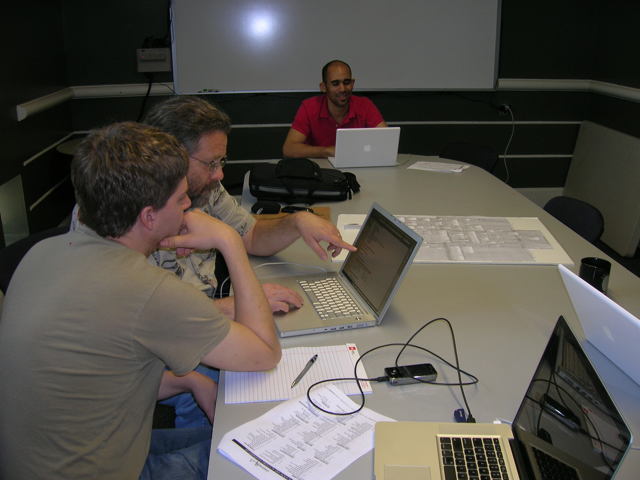
At every location, we end up drawing pictures like the ones at the end of this post to describe how video files move through the system. These diagram are on a whiteboard, but I like to think the best diagrams are done on napkins. Stefan is going create a more readable diagram of channelAustin's work flow, but I wanted to get these posted so that people can see the process that is happening behind the scenes at each of the implementations. Real people sit down at a table and figure out how to make this work...
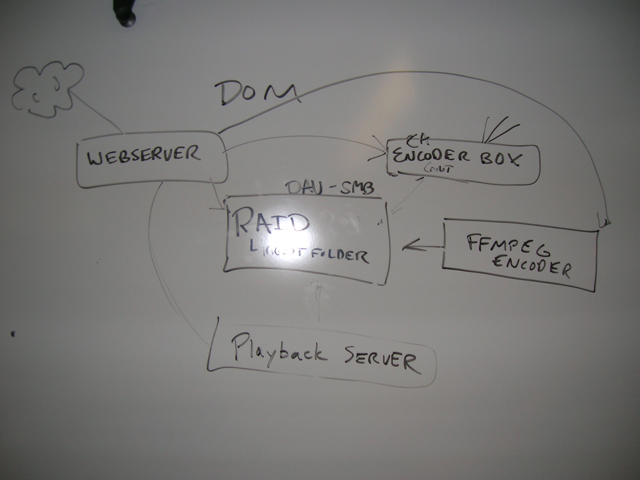
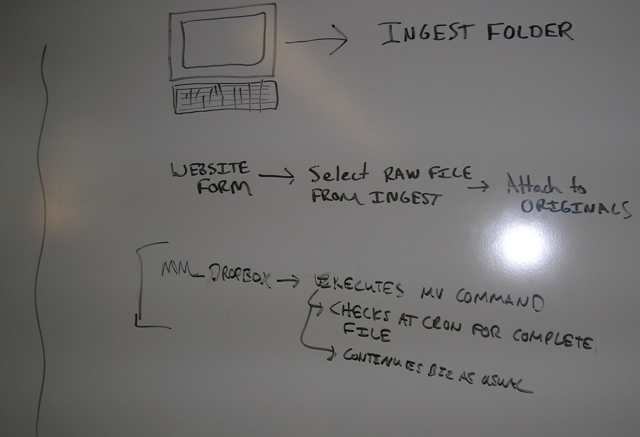
This is the same process we are going through for each of modules/feature of the Open Media System. The new availability grid added to MERCI is a perfect example of this process. We start by deploying the core functionality, get feedback and feature requests, prioritize those requests, discuss how to best implement the new feature, write more code, test the code, commit the code, distribute the updated code... and start the process again.
While some parts of the code and configuration we call the Open Media System are getting to a more 'finished' state where all users need is better documentation to install configure the module themselves, other parts are still in the "napkin phase". It's more difficult to get involved during the napkin phase because there is less documentation and the code and UI can be pretty rough around the edges, but the advantage of getting involved early in the process is you have more influence over the priorities and how a feature is implemented.
Comments
napkin diagrams
I just want to mention that some of us with limited resources would benefit from knowing what an ideal network configuration could look like. I am located inside of a school and after working with the school's IT department I know things need to change and we cannot continue to use the school's ISP. When the time comes to break free, it would be helpful for me to know what system requirements would look like on a blank slate so that we can create an ideal configuration.
The challenge is that there
The challenge is that there are too many variables to make blanket recommendations. It's hard to ignore the fact that hardware prices fluctuate weekly, bandwidth prices are x2 or x3 more or less expensive in different locations, and that a local expert willing to volunteer their time support technology X is worth his/her weight in gold.
At a minimum, you need a web server (with FFMPEG), playback server (if you have a channel), and bandwidth to connect the servers to each other and the internet.
UPTV started with one server that was handling with the web, FFMPEG, and their RAID. They've now added a second server to handled FFMPEG and add more storage.
channelAustin started by installing and configuring the Open Media modules on a spare Sony Viao. That worked fine for development, but we ran into memory and CPU issues when we tried to do a demo for 10 producers. That was embarrassing. channelAustin is now running on a Sun server that puts DOM'ss servers to shame.
If you'd like to know more
If you'd like to know more of the particulars of how UPTV's system is set up, let me know and I'll get more technical info to you.