
Posted by marcus7777 on June 6, 2008 at 1:34am
in ie text slips on resize can you help?
artdeptdesign.com
Thanks
Marcus
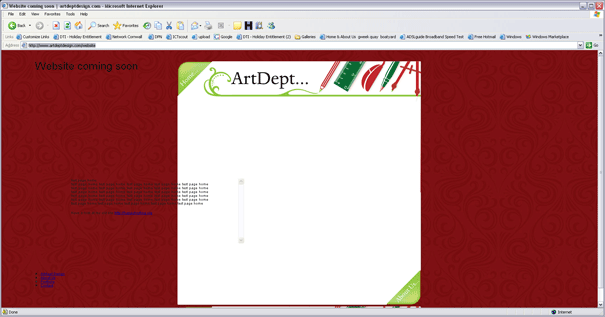
update here's a srceen shot
| Attachment | Size |
|---|---|
| artdept_in_ie.png | 53.2 KB |
in ie text slips on resize can you help?
artdeptdesign.com
Thanks
Marcus
update here's a srceen shot
| Attachment | Size |
|---|---|
| artdept_in_ie.png | 53.2 KB |
Comments
heya marcus, i'm not exactly
heya marcus, i'm not exactly 100% sure what you're aiming for?
i looked at it on safari 3, and firefox 2 on mac.
in safari- the page does the 'slide' effect only if i click the green lower right hand button. but not if i click the nav menu.
in firefox- it does the slide thing, but you can see it over the red background.
um... i resize, but i don't see text slipping... are you talking about the nav menu in lower left hand corner?
thanks heather
The javascript I can work on. it's just ms's internet explorer the content of the div's slip I would love to fix it with css as I have before I just can not seem to for me. I think I'll just have to use javascript to reload the page if resize and ie, for now until I find a css fix. thanks again for looking.
all the best x
Marcus
on a mac
ah ha! i can't see the problem as i'm on a mac. :)
Can you see why my gallery is not showing up in safari?
hi I using a jquery slideshow and it works fine in ie6/7 ff but not good old safari the demo works :
http://malsup.com/jquery/cycle/
but
http://artdeptdesign.com/#tv
thanks
Marcus
hmm... i don't know... i
hmm...
i don't know... i looked at the malsup link above, and i can see those galleries fine in safari.
when i click the forward/back buttons on your site, the text loads. but i don't see any images at all. just the greenbox image.
thanks heather again
I'm going to put my head though mill on this one :o).
is There a firebug for safari?
yes it got it's own
http://www.infoaccelerator.net/index.cfm?event=showEntry&entryId=27C88C0...
Not sure
Ok
The problem also exists in Firefox 3 for me.
The first thing I'd do is fix the HTML validation - sometimes this can cause some issues with Jquery stuff.
You have
<p>inside alt attribues, and also some<p>inside<span>.Have you the proper matching Jquery base library with plugin?
Also
Switch off JS aggregation - it can ocassionally cause issues - prettty hard to debug too with it switched on.
Sorry I don't have anything more useful.
Alan
Got it.. I think
/*line 233 in zen.css*/
.screen2 {
height: 367px;
margin: 35px 0px -10px;
position: relative;
width: 572px;
}
#screen {
margin: -400px 0pt 0pt;
}
and the image within #screen should have a class of "screen2" instead of "screen"
and then..
div#screen img {
z-index:5;
}
thanks tim and alan
Tim
I try your patchs but I think I must have made a mistake as now the green box and the images have gone.
thanks for your help as was so stuck
Marcus
OK.. set
OK.. set the class of div#morpher to "screen2" instead of "screen"
and the same with div#screen. Change those both to "screen2"
That should do the trick!
i.e.
<div id="tv"><div id="morpher" class="screen2" style="overflow: hidden; position: relative;">
<div id="screen">
<img class="screen2" width="576" height="370" src="/sites/all/themes/zen/Artdept/green-box.png"/>
</div>
</div>
...
</div>
Or you can just modify the CSS
/* zen.css */.screen {
height:367px;
margin:35px 0px -10px;
position:relative;
width:572px;
}
Also, your z-index for the first image is set to 6, you should change that to 5. Then it wont jump over the borders of the green image.
or edit the css in zen.css (line 273)
div#screen img {z-index: 7;
}