
Posted by coderdan on September 1, 2009 at 11:26pm
I'm trying to import some 'project' content into Drupal using Node Import. I have about 3,000 projects that need to be added as om_project content types, and this was the method described by Kevin to get it done.
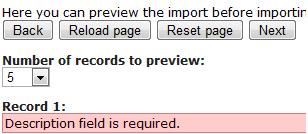
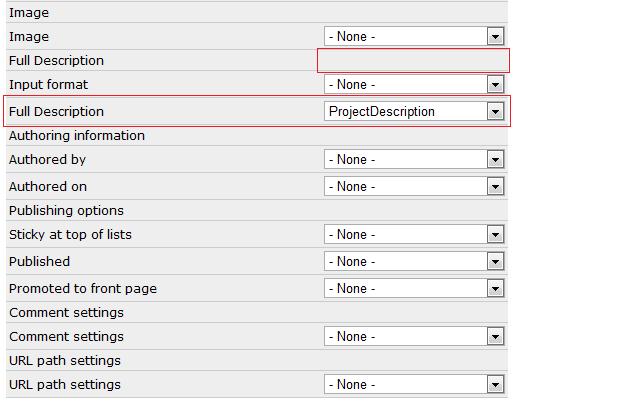
Using the Node Import wizard to start the process works great, but as soon as I get to step 7 of 8, I get the (attached) error: Description Field is Required. Unfortunately, some of the fields in the field-matching step of Node Import are simply not usable, in that there is no select-box to pick the field that matches to it (see attached).
Anybody have any clue what I can do do import these projects? Is there any other alternatives to Node Import that a non-developer like me can try?
| Attachment | Size |
|---|---|
| desc_field_required.jpg | 10.78 KB |
| import_project_desc_error.jpg | 38.02 KB |
Comments
It looks to me that rather
It looks to me that rather then those fields being unusable they are categories for the import. I.e. you Have category Image of which you can import data into the image field of the node. You then have catagory Full Description of which you choose the field for importing into the import format and the field to import into the full description field. Etc.
So does import_project_desc_error.jpg show the full mappings? Your error is because the "Description" field is not mapped. "Full Description" is a separate field.
Right, the description field
Right, the description field is not mapped. There are two 'Full Description' fields on the matching part of the wizard and only one of them allows input. However, it's not getting exposed to the array. This is the foundation of my problem. Perhaps someone could try it out on their server and let me know if you have the same issue.
Resolved. The solution is to
Resolved. The solution is to install the dev version of node import (exposes more OG settings), as well as making sure your CSV doesn't have "NULL" in the description field (/slaps self).
thanks dsasser.
thanks dsasser.