Come discuss, create and plan great Drupal UX design
Other places to explore: Core issues tagged 'usability', Where UI docs live, Come chat in IRC in #drupal-usability.
Mobile CMS screenshots of Owaves on iPad
Last updated by varunity on Sun, 2014-12-07 16:59
Owaves has very good user interface elements for managing their content, some of this can be used as inspiration for Drupal's mobile user interface. Owaves is somewhat useful but makes it attractive because of its great UX. The Ux in the app Owaves is a colorful and easy to understand one. The use circles and bright figures to help give visuals. You will see a single screen shot below as it is the only screen on the app. All activities happen on this screen.
- The app has very clean shapes that help put a lot information while still providing a good UX
Mobile CMS screenshots of EveryDay on Ipad
Last updated by varunity on Sun, 2014-12-07 16:59
EveryDay has very good user interface elements for managing their content, some of this can be used as inspiration for Drupal's mobile user interface. This apps functionality is to organize tasks and activity. The app has an excellent CMS that focuses on simplicity and minimal design. The app has a very good functionality because of the organisation of the minimal Icons. Below is the three best parts of UX in the EveryDay app.
-
The app has a minimalist design only giving needed information
-
Icons were small and clearly described the task
How can we improve frontend sprints at Drupal events?
Last updated by lewisnyman on Wed, 2015-01-07 12:36
At DrupalCamp Ghent, we held a very small frontend BOF, with myself, Laurii, Emma.maria, and guest frontender Xano.
It quickly became a retrospective on the Friday sprints that took place at DrupalCon Amsterdam. The collective thoughts were not positive. It felt like we fell way short of our goals and potential for the Friday sprint. Drupalcon Friday sprints are about introducing people to sprinting and it feels like we failed badly at that.
Here were some of the problems:
- Newbies did not get enough help
- The few people helping the newbies did not get enough support
Mobile CMS screenshots of Litely on iPad
Last updated by varunity on Sun, 2014-12-07 16:58
Litely has very good user interface elements for managing their content, some of this can be used as inspiration for Drupal's mobile user interface. I tried the CMS on Litely photo editing app. Below are screenshots of the app's core functionalists. This app , as the screenshots show, has a very good design that uses contrasting colors and very light translucent icon. The app has a very good user experience is these ways:
- The app has an easy and lightweight design that makes you feel more immersed in the experience
Amsterdam UX Sprint: Ideas for 2014-2015
At Amsterdam Drupalcon, a group of UX designers and usability specialists (lisarex, yoroy, danigrrl, lewisnyman, bojhan, dagmar and others) met to decide on some goals for moving Drupal UX forward in 2014-2015.
Read more
Drupal Community Involvement Study
As part of my rapidly-finishing Master’s studies, and my work on the Drupal Community Tools Team, I'm conducting research into the experiences of Drupal community members, specifically in terms of contributing. Your feedback is needed!
You can take the survey here: http://bit.ly/1omhUpG. Thank you so much!
Read more
Add favorite/heart toggle and user rating to module contrib page
Hello Everyone,
I'm not sure where the best place to ask this question is - so forgive me if this isn't the best place. Has a discussion already been started about improving upon the current module page? If so can you kindly point me to it?
If not, what do you guys think about adding a favorite/heart toggle feature and user rating feature to module contrib page?
I use a similar feature on http://themeforest.net (http://note.io/1mnVuc3) and http://wordpress.org (http://note.io/1mnVuc3) to save and organize modules that I come across while searching for themes/plugins.
Read moreRedesigned Drupal.org profile page: your feedback needed!
Hi everyone! We're in the process of redesigning the profile page on Drupal.org, and we need the community's feedback! You can find the issue at: https://www.drupal.org/node/2281763.
Specific feedback needed:
- Assuming that we're keeping the current theme, does the organization of information make sense on the page?
- Is there any new information we should be collecting on profiles? Since this will require refactoring several of the data elements in profiles, we have a great opportunity to allow users to show/share more about themselves.

Make default publishing options optional
Over the years, most of my clients have been confused by the default publishing options - Published, Promote to frontpage, and Sticky at top of lists - appearing on all content types. I think it is great that these options are available in core, but I can say for projects I work on we rarely use these on more than one or two content types. I can understand how having options on the node form that aren't being used would be confusing for content editors.
Read more
Improve D.O. profile page: remove links that say "These pages have been disabled due to high traffic..."
To improve the friendliness of the individual profile page, it would be great to convert some of the non-used links into plain text. It is disappointing to have a lot of links that all give me the same, non-informative message when I click on them, namely: "These pages have been disabled due to high traffic. We apologize for the inconvenience. Thanks!"
Read more
Make Module Install Process Easier
After encountering this error message: elFinder library was not found. Please download it from http://sourceforge.net/projects/elfinder/files/ and install to . (Currently using elFinder Not found) and having had to futz with the placement of various external files to get things like the WYSIWYG plugin and PLUPLOAD plugin working, I had an idea.
Read moreWheels To Borrow Instead of Reinvent
There are some things that other pieces of software do really really well. When you can borrow or copy their wheel, why go to the trouble of building your own from scratch?
Read more
Survey: Blocks & layouts from D7 to D8
Hi all,
I have created a survey for my presentation on Blocks & Layouts at Drupal Dev Days Szeged.
If you want to share your take on dealing with Blocks & Layouts in Drupal 7 and your perspective on Drupal 8, go ahead and fill this one out:
https://dasjo.webform.com/form/11188
Also feel free to share my tweet
https://twitter.com/dasjo/status/446299426047660033
Did I miss any options in the survey? I'd be happy to received some feedback and will keep you posted with the results and my slides after Drupal Dev Days.
Greetings,
dasjo

UX Lead for the Drupal.org Community Tools Team
Hi all,
the Drupal.org Software Working Group is looking for a UX Lead for the future Drupal.org Community Tools Team.
More information about the team is at: https://groups.drupal.org/node/400478 and https://groups.drupal.org/node/402653.
Let us know if you are interested or know someone who might be!
Thanks.
Read moreA newbie question - UI module advice
I want to publish a module i wrote in propose of improving drupal site's administrator UX. Is this group the right place to ask for some advice with it? If not, where in drupal.org is the right place?
Thanks.
P.S.
I searched for something like explanation of the group's rules and did'nt find (maybe I did'nt know where to look). If this post is against the rules you can 'course delete it.

Clipboard integration
I've made a short video how it works in WP when you buy a commercial product called Image Elevator. I was in luck to have beta test it and now i use it on my blog. Using it (like on Gmail) is just amazing - it makes writing a blog post really fast and natural as using MS Word.
http://www.youtube.com/watch?v=MdVca8bhv3k it is under 1 minute
If this could be achieved in Drupal it would be a killer feature for all content creators.
The nearest implementation I've found is filefield sources (with clipboard) + insert, but it is not as sleek as seen on video.
Read more
Trying out a new tool for surfacing good ideas
It's been a pet peeve of mine for a long time that, while D.O and G.D.O have a lot of great ways to add ideas and discuss them there's really no efficient way of collectively prioritizing the ones we should focus our efforts on.
I have spent a lot of time trying out different tools that do this, as well as trying to design and build them. We may at some point reach a home-grown solution, but in the meantime I have found a very simple and effective tool that I'm trying out. It's called Tricider. I've posted an initial question here:
http://tricider.com/brainstorming/1H6kX
Read moreMobile CMS Screen Shots of Joomla Mobile Admin on iPhone 5s
Last updated by justinpotts on Sun, 2013-12-01 01:12
These are screenshots of Joomla Mobile Admin on the iPhone 5s. Descriptions of each photo are below the screen shots.
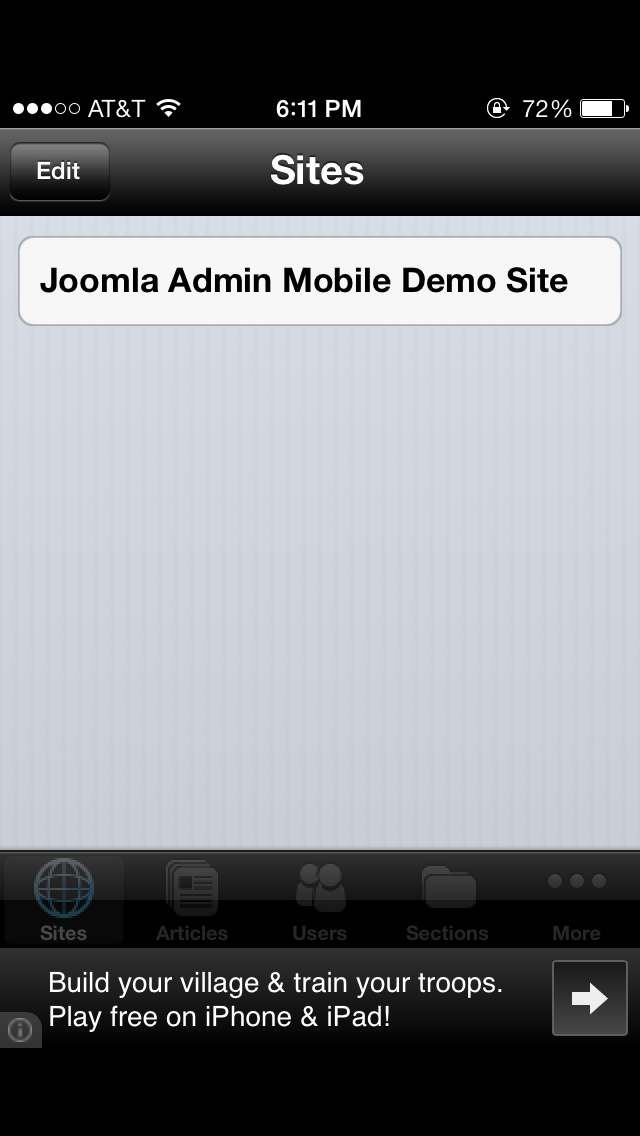
This is what you see when you first open the app. It's a list of all of your sites.
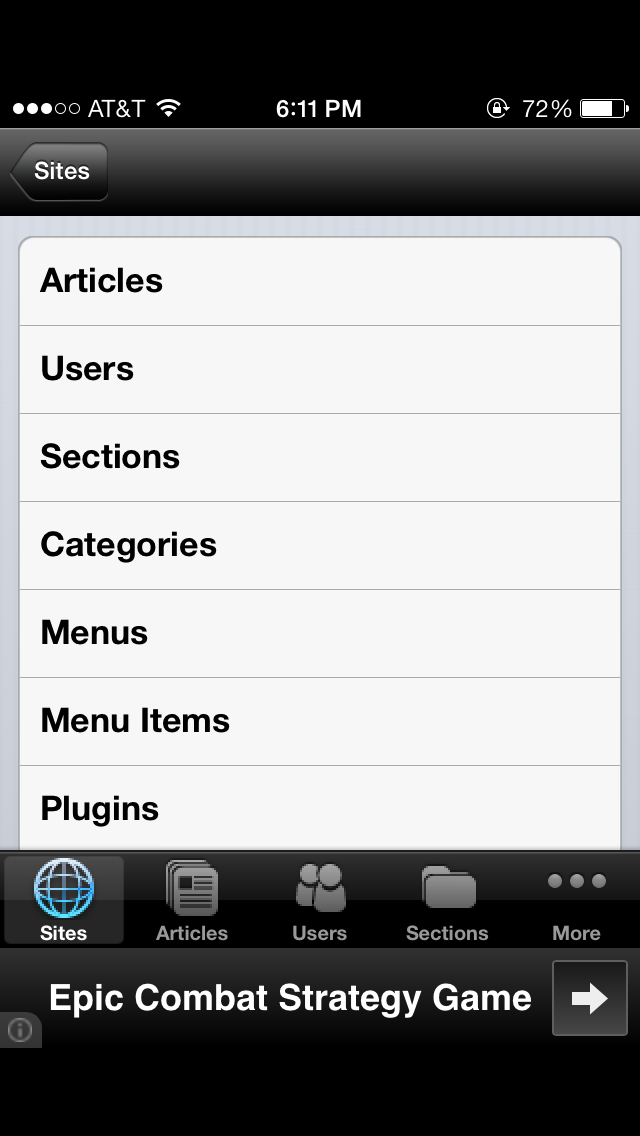
These are functions of the sites and things you can do with them.
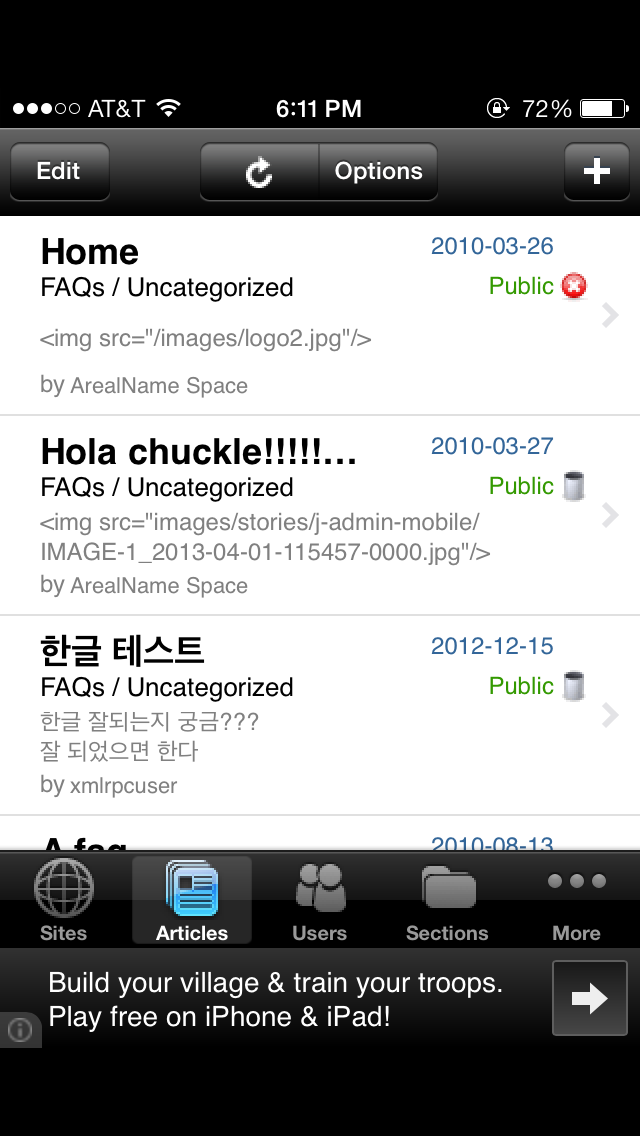
This appears to be a list of articles on your site.
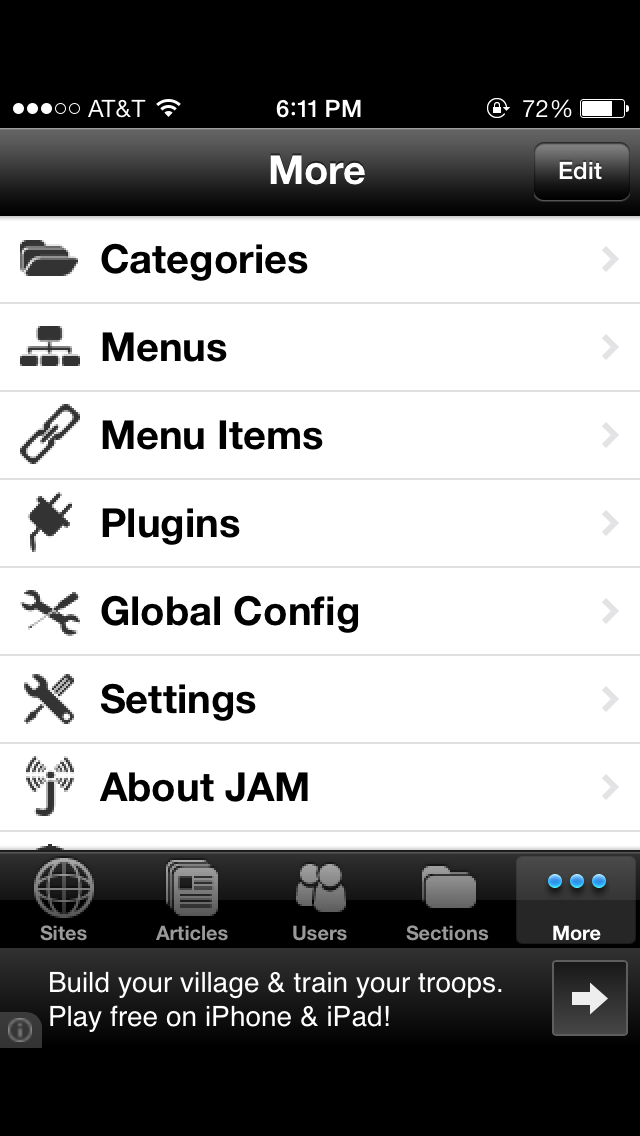
Mobile CMS Screen Shots of Alfresco on iPhone 5s
Last updated by justinpotts on Sun, 2013-12-01 01:02
These are screenshots from the Alfresco app on the iPhone 5s. Descriptions of the photos will be below the screen shots.

This is a list of the websites you have joined or are a part of.
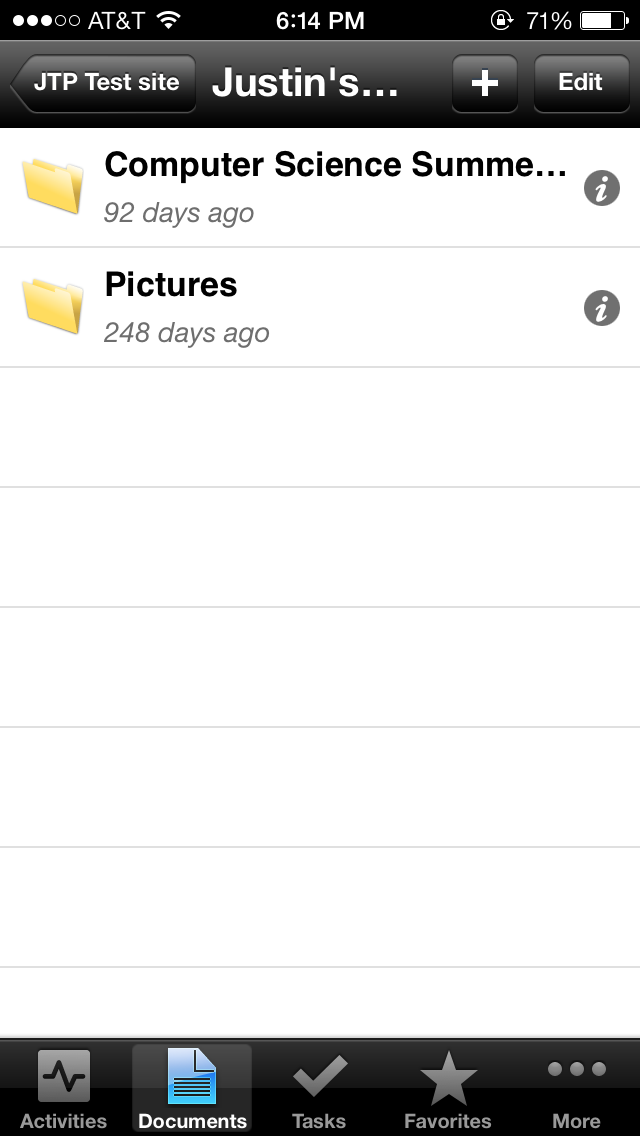
This is a list of all the folders and documents in your website.
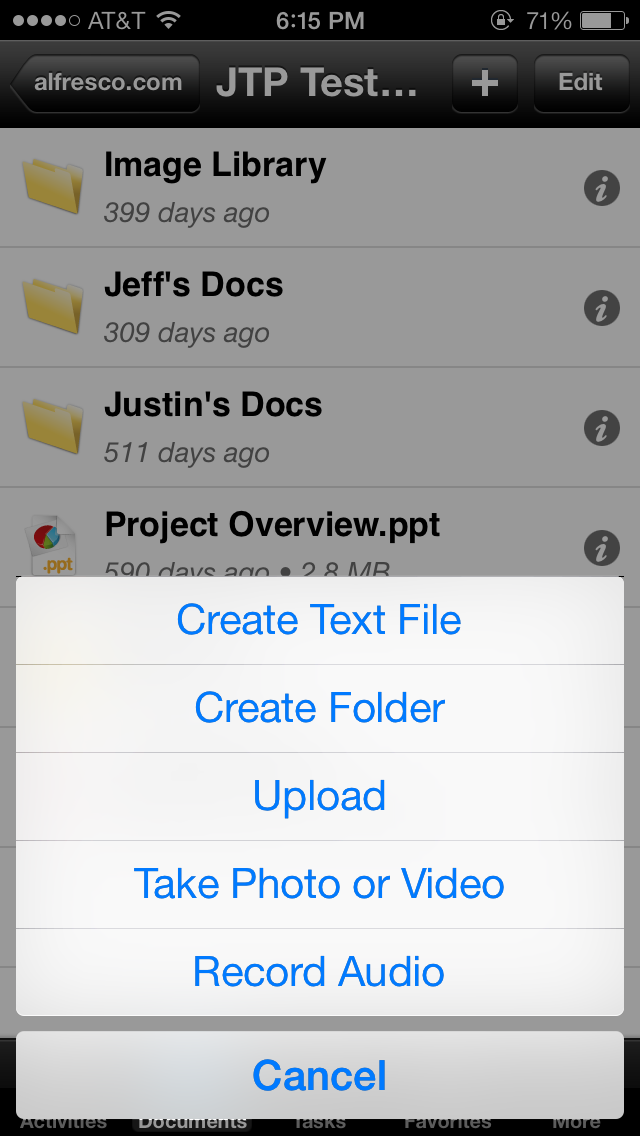
You can create content directly in the app.
Read more